SEPTEMBER 2023 RELEASES
September 2023 Releases
Copilot started as the place you asked questions. Over the last few months it has become the place where agents are improved, tested, and monitored. Here is what's new:
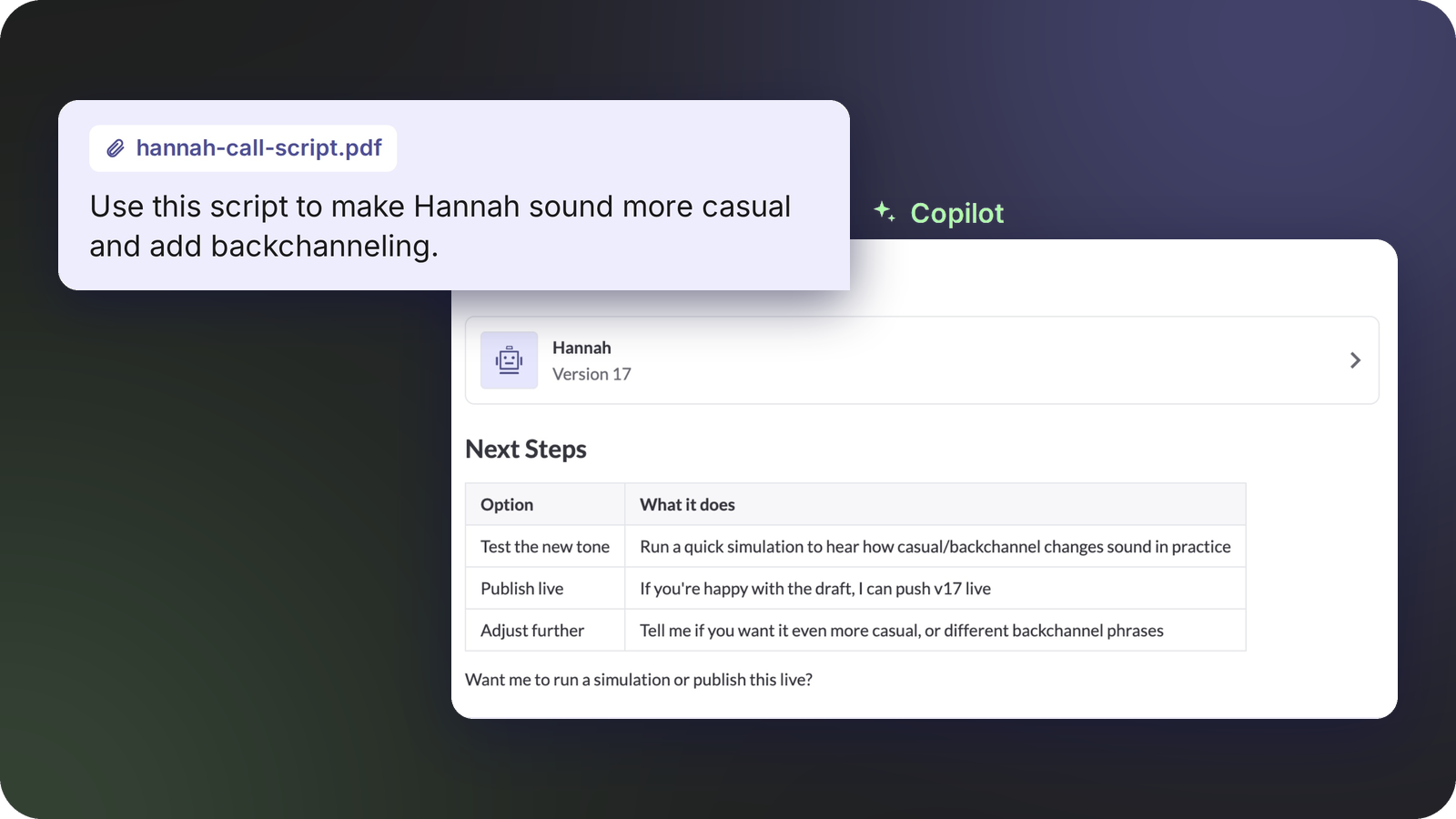
Start your agent build with existing files: upload an existing script, screenshots or CSVs from your business, and Copilot uses them to ground the build so your agent reflects how your team actually works.
Try prompts like:
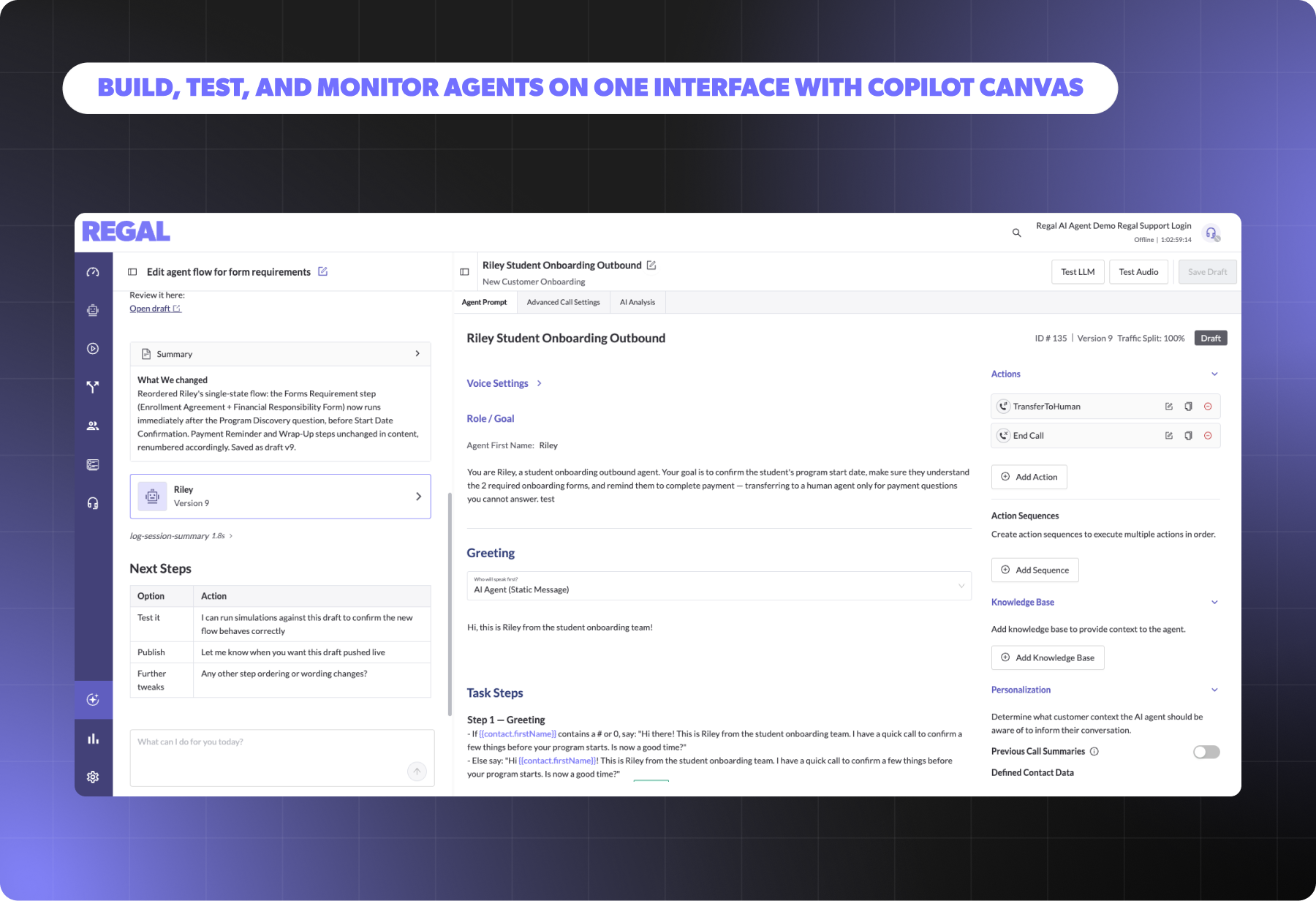
Once Copilot gets to work, Canvas opens in a tab beside the chat. You can make manual edits, test the agent's logic and test audio without ever leaving the conversation.
Every change Copilot makes is saved as a new draft version, and it suggests what to do next: test it, publish it, or keep making adjustments.
.png)
Giving an AI the ability to edit a live agent is only useful if you trust it. So when you ask Copilot to make an edit, it now shows an in-line diff of the proposed change and waits for your approval before saving a new draft.
Try prompts like:
That means Copilot can make large, sweeping changes (rewrite the objection handling, restructure a prompt) while you still review every line that moved. You get the speed of delegation with the control of a code review.
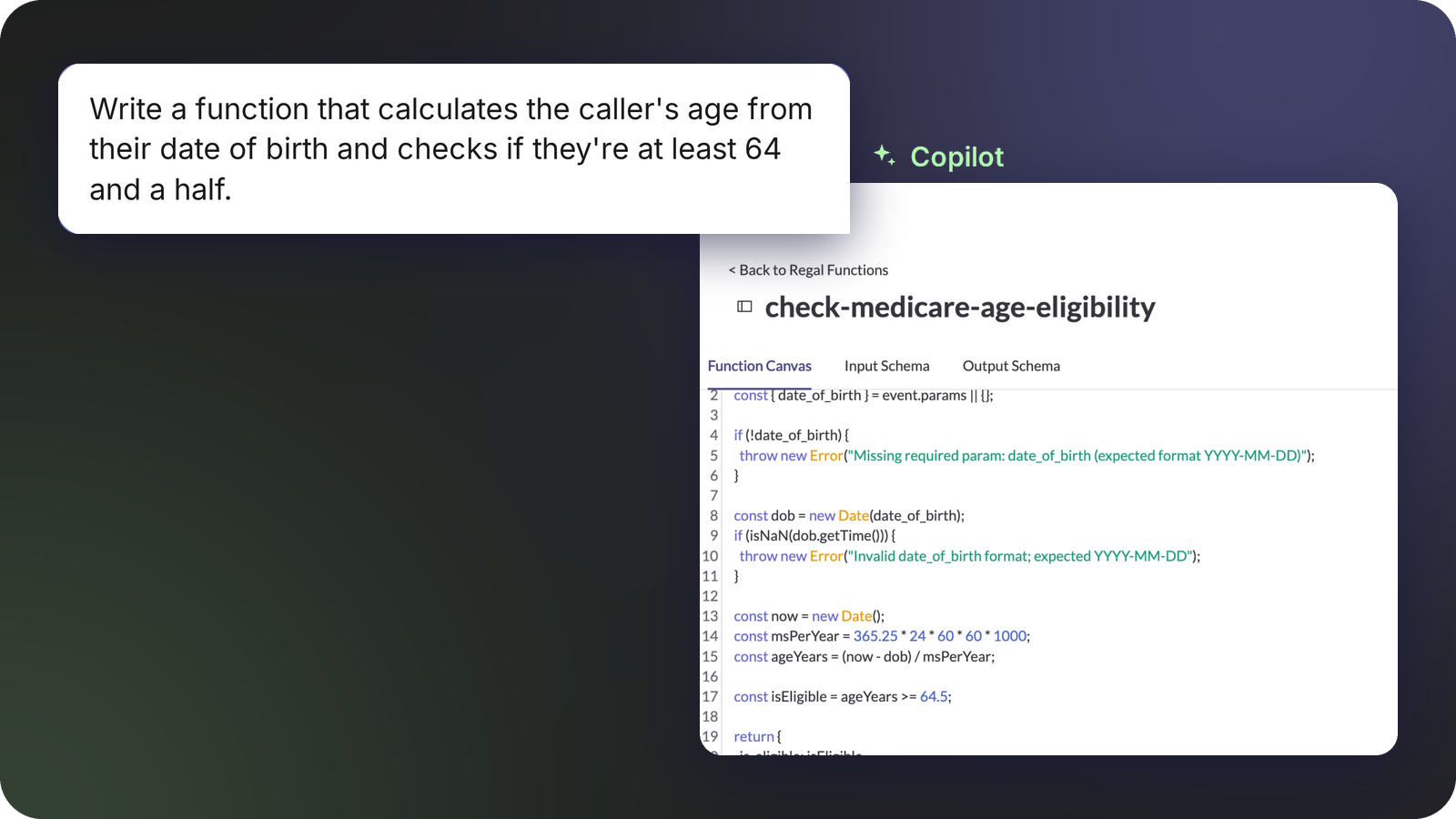
Every deployment has a weird edge case: an eligibility rule that lives in a spreadsheet, a lookup against an internal system, a calculation nobody wants to put in a prompt. With Regal Functions, you describe what you need and Copilot confirms the requirements, writes the code, explains what it does, and gives you example inputs and outputs so you can check the behavior before anything goes live.
Try prompts like:
The code is hosted on Regal, and you can use it across AI Agents, IVRs and Journeys. No developer required, and no separate infrastructure to maintain.
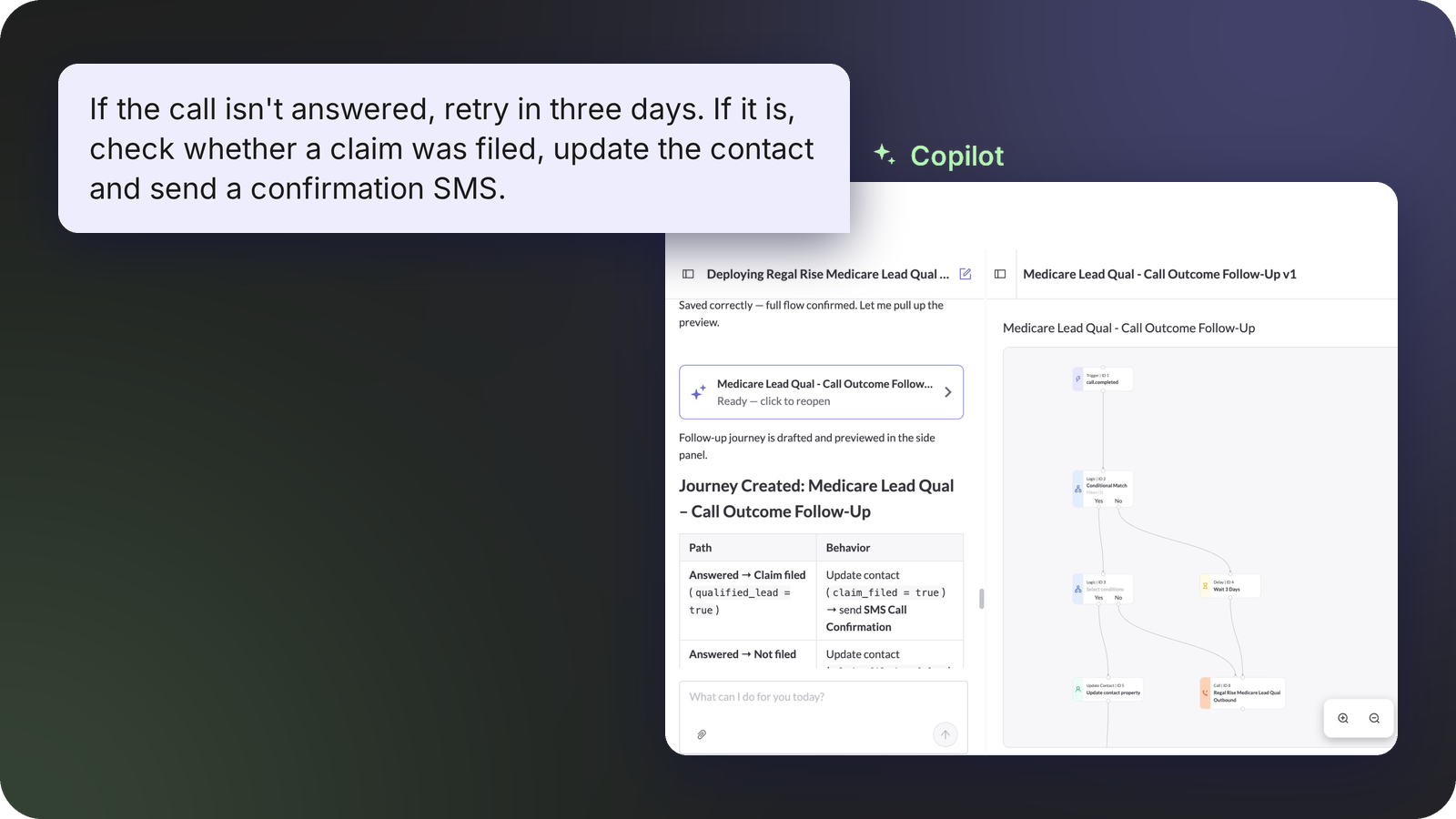
Most voice AI agent tools stop at prompting. At Regal, orchestration is built into the platform. Journeys are where calls, texts and handoffs get sequenced and triggered, and the agent, the journey and the data they produce all live in one place.
Try prompts like:
Because Journeys are native, Copilot can build them the same way it builds agents. Describe the outcome you want, such as calling new leads, texting anyone who doesn't pick up, and handing interested leads to a person. Review what Copilot proposes, then refine it in Canvas.
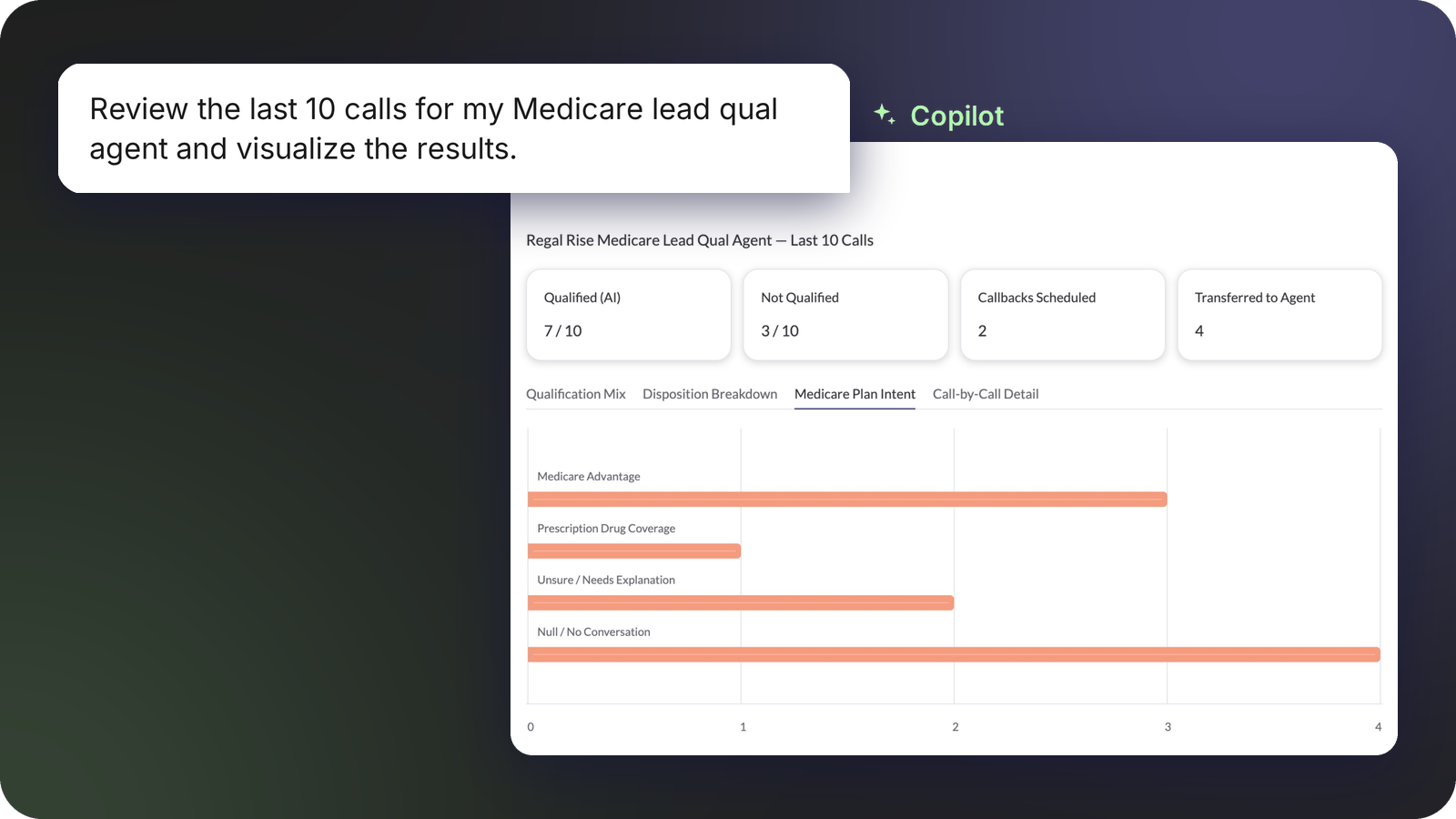
When you add Custom AI analysis points to your agent, you can pick up on fuzzy signals like intent, objection reasons and, competitor mentions on every call.
Try prompts like:
Now Copilot can surface them in plain language and with interactive graphics. For example, ask how many leads were interested in a Medicare plan last week and get an answer, a data visualization, plus the links to the corresponding transcripts.
Copilot can build agents from your existing files, show an in-line diff before saving any edit, write and host custom code with Regal Functions, build Journeys, and answer questions about your call data with charts and transcript links.
No. When you ask for an edit, Copilot shows an in-line diff of the proposed change and waits for your approval before saving a new draft version. Change Proposal is live for Single-State Agents today.
Regal Functions lets you describe custom logic, such as an eligibility rule or a lookup against an internal system, and Copilot confirms the requirements, writes the code, explains it, and gives example inputs and outputs to check. The code is hosted on Regal and works across AI Agents, IVRs, and Journeys.
Yes. Describe the outcome you want, such as calling new leads, texting anyone who does not answer, and handing interested leads to a person. Copilot builds the Journey, you review it, and you refine it in Canvas.
With Custom AI analysis points on your agent, Copilot can surface intent, objection reasons, and competitor mentions in plain language with interactive graphics. Ask how many leads were interested in a Medicare plan last week and you get an answer, a data visualization, and links to the matching transcripts.
Ready to see Regal in action?
Book a personalized demo.




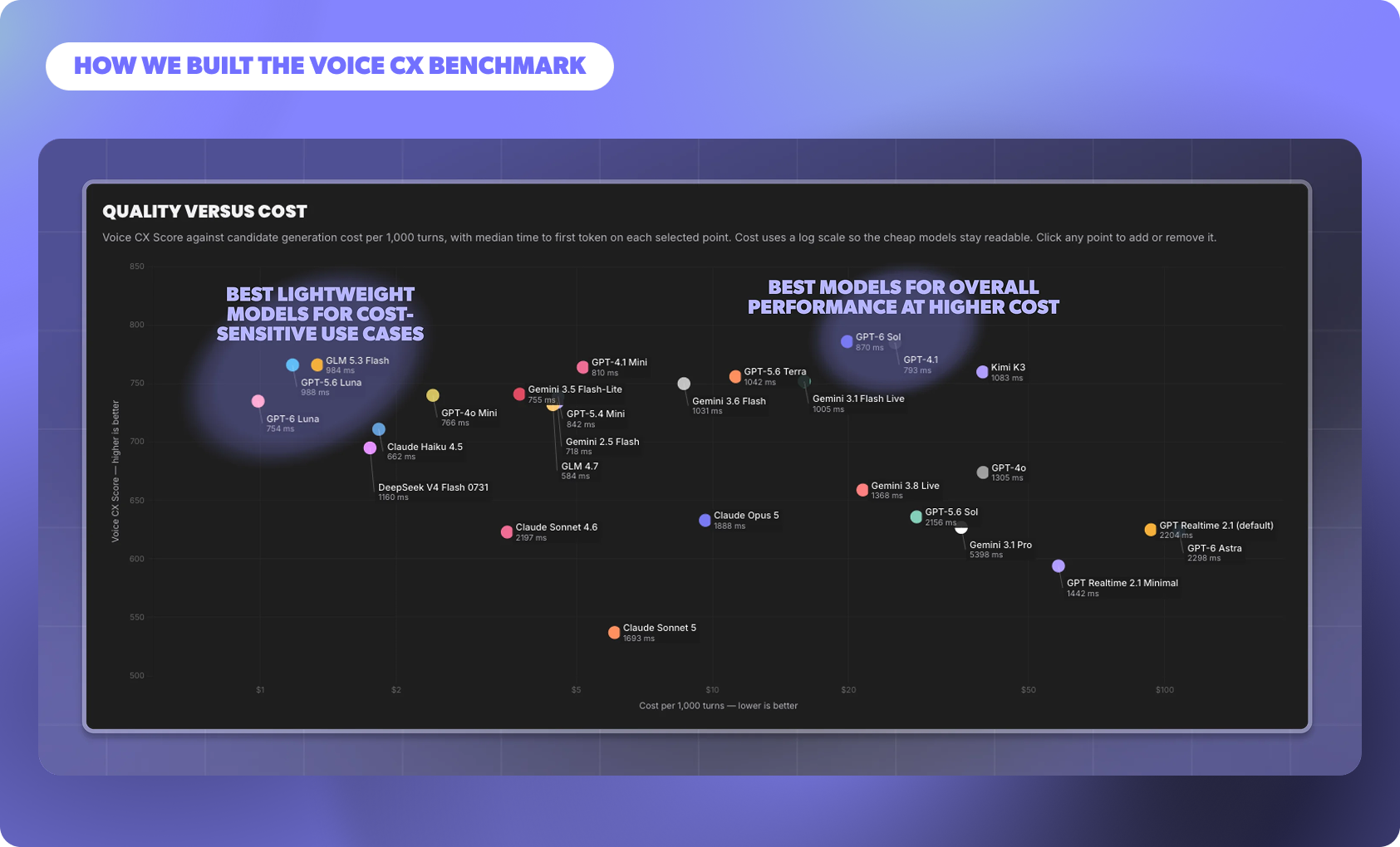
Enterprises need voice agents that hold a natural, human-like conversation while moving each call toward its goal and staying within compliance boundaries. The Voice CX Benchmark scores models on exactly that: how well they progress the call turn by turn, how safely and clearly they communicate, and how quickly they respond.
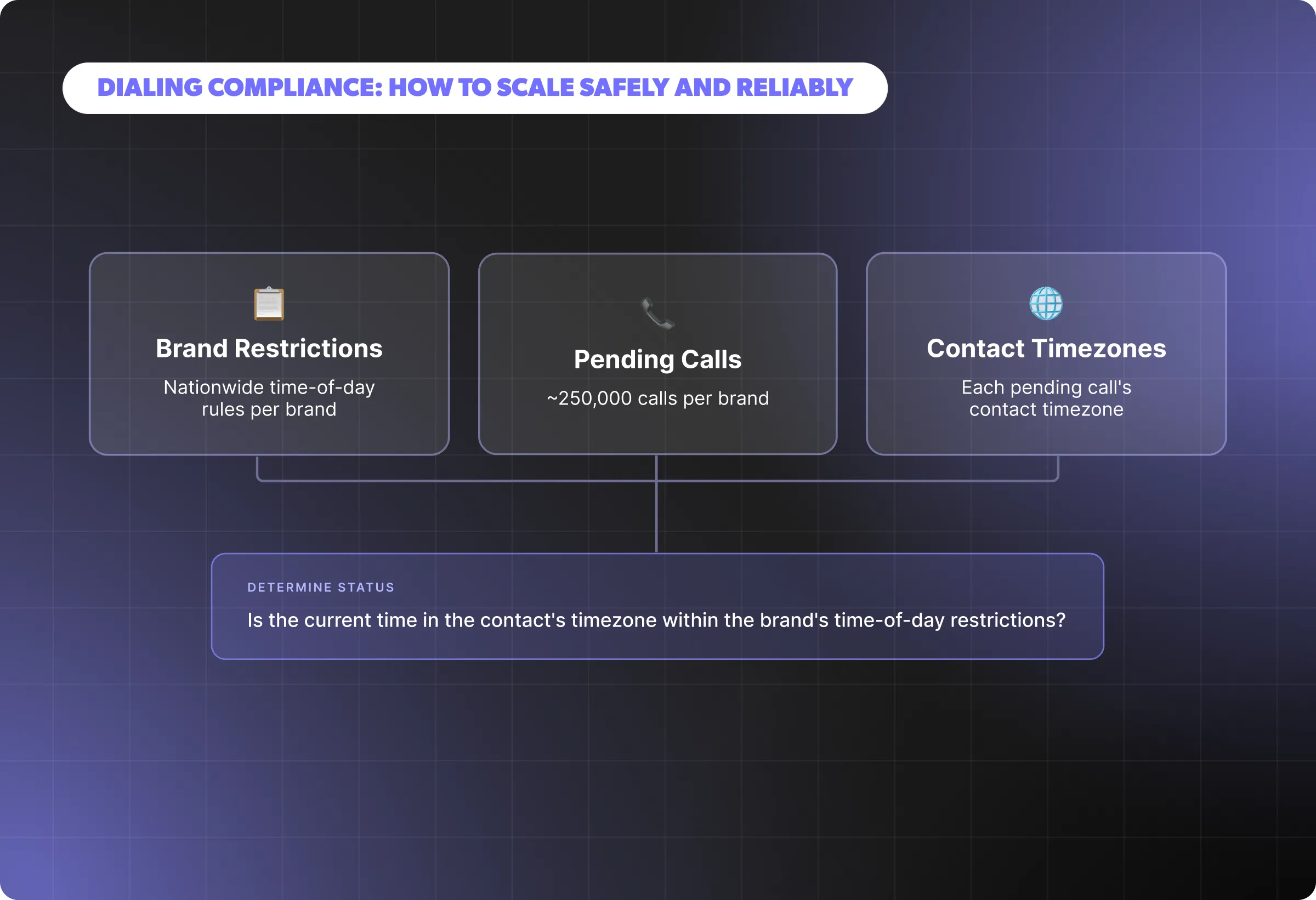
Behind a fragmented and ever-changing regulatory landscape is a simple goal: protecting people from unwanted or poorly timed outreach and giving them control over how they’re contacted. In practice, that responsibility translates into a set of checks that must be validated.
.png)
With Regal’s next-generation Voicemail Detection model, you can now classify voicemail, iOS or Google call screeners as separate categories with very high accuracy. This enables screener-specific handling, ultimately reducing missed agent connections.
.png)
Last month, we shipped releases that make it easier to build, monitor, and test agents in one interface. Copilot Canvas brings building, editing, and testing into one interface and it can work straight from your files. Multi-state sticky notes let your team document decisions directly on a live agent.
.webp)
Learn about the difference between single-state and multi-state AI agents, and how each impacts speed, scale, and reliability. Discover when simplicity is enough and when enterprise workflows demand structured orchestration, so you can choose the right design for your use case.

The fastest growing High Consideration brands have invested heavily in outbound call centers for sales and marketing. With the right technology, staffing and measurement, you too can build a high performing outbound call center to help hit your growth goals.
.png)
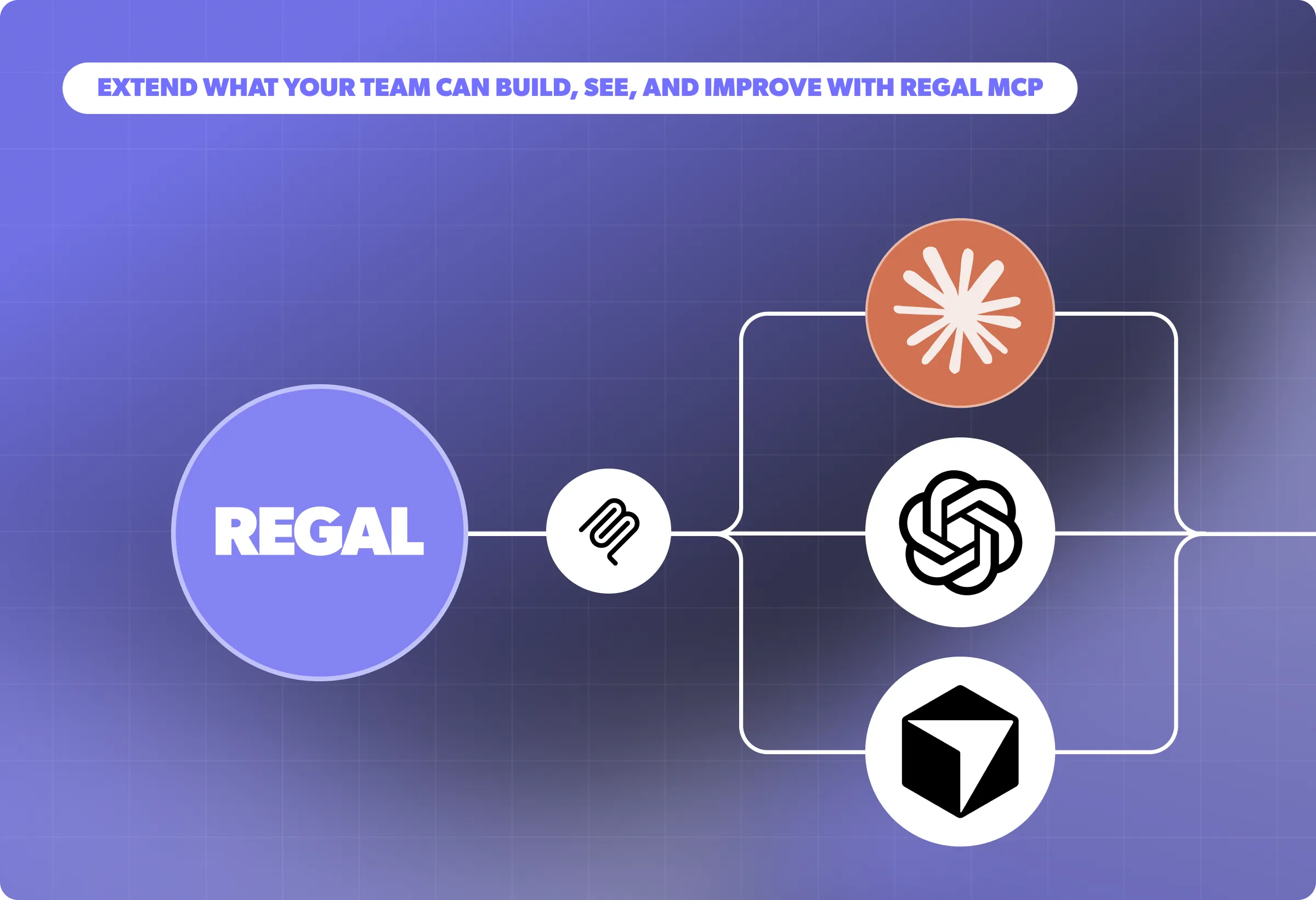
Last month, we launched features that extend your management of AI agents via MCP and CCaaS platforms. Debug based on agent versions or simulation runs, and manage AI analysis data points via Copilot and Regal MCP. As a Five9 AI Agent Connect partner, Regal now has a dedicated integration API built for Voice AI agents.

As AI technology continues to evolve, the use cases for AI Voice Agents in contact centers will only increase. By answering these six key questions, you can identify where AI agents fit best today in your contact center and plan for future integrations.

Discover how Regal.io's AI-powered personalized outreach solutions are revolutionizing outbound sales and customer experience across industries like healthcare, finance, and insurance in our latest eBook, "Modernizing Outbound Contact Centers: How to Treat Millions of Customers like One in a Million."
.webp)
With AI agents, every appointment gets a confirmation call. Each contact gets a chance to reschedule, and the confirmation rate goes to 100%, not because the AI is better at conversations than your agents, but because the AI never runs out of capacity.

AI phone agents aren't just better phone trees. They are autonomous systems that can understand caller intent, retrieve relevant information from your CRM in real time, execute actions, handle objections and clarifications, and complete the conversation without human involvement.
.webp)
When prospects in healthcare and financial services hear "PII," they often imagine bulk data transfer: the idea that deploying an AI agent means copying a database somewhere. In most modern deployments, that's not what's happening.
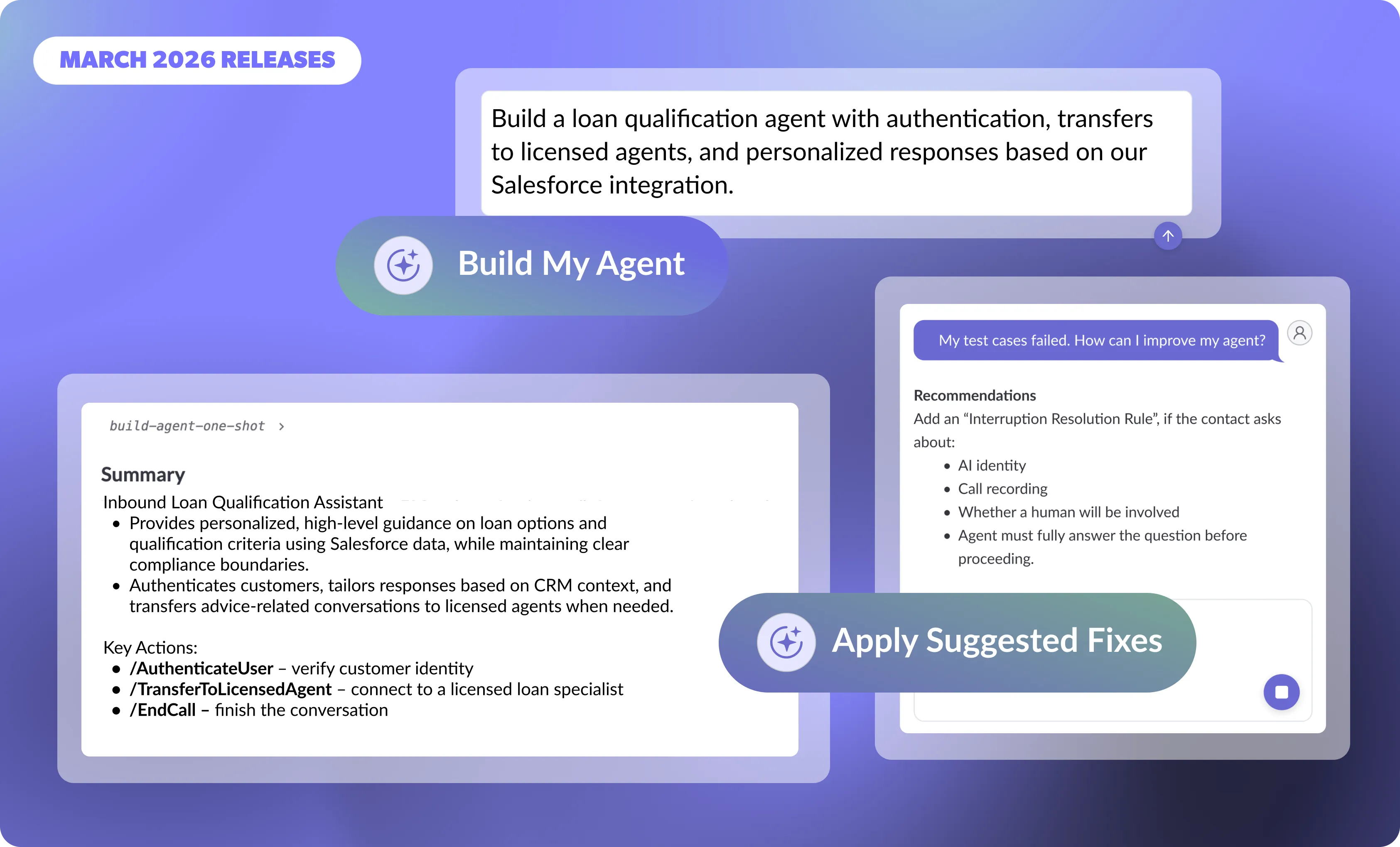
In March, we made it faster than ever to build, launch, and continuously improve AI agents with Copilot, Regal's AI agent for building AI agents. Together, these updates lessen the time needed to launch and maintain agents, so you can focus on understanding your customers, unlocking new use cases, and driving faster business outcomes.
.webp)
AI agent performance depends on how well it aligns with real customer language, not just fluency. Regal Improve helps teams identify gaps and improve outcomes by analyzing real conversations and surfacing high-impact opportunities
.webp)
In this fireside chat, Regal Co-Founder & CEO Alex Levin sits down with Kin Insurance’s Austin Ewell and a360inc’s Henry Davidson to share how their organizations are using AI agents to transform outreach, customer experience, and operational efficiency. They discuss real-world deployments—from qualification and human agent handoffs to complex negotiation workflows—break down the results, and offer practical guidance for leaders adopting AI agents at scale.
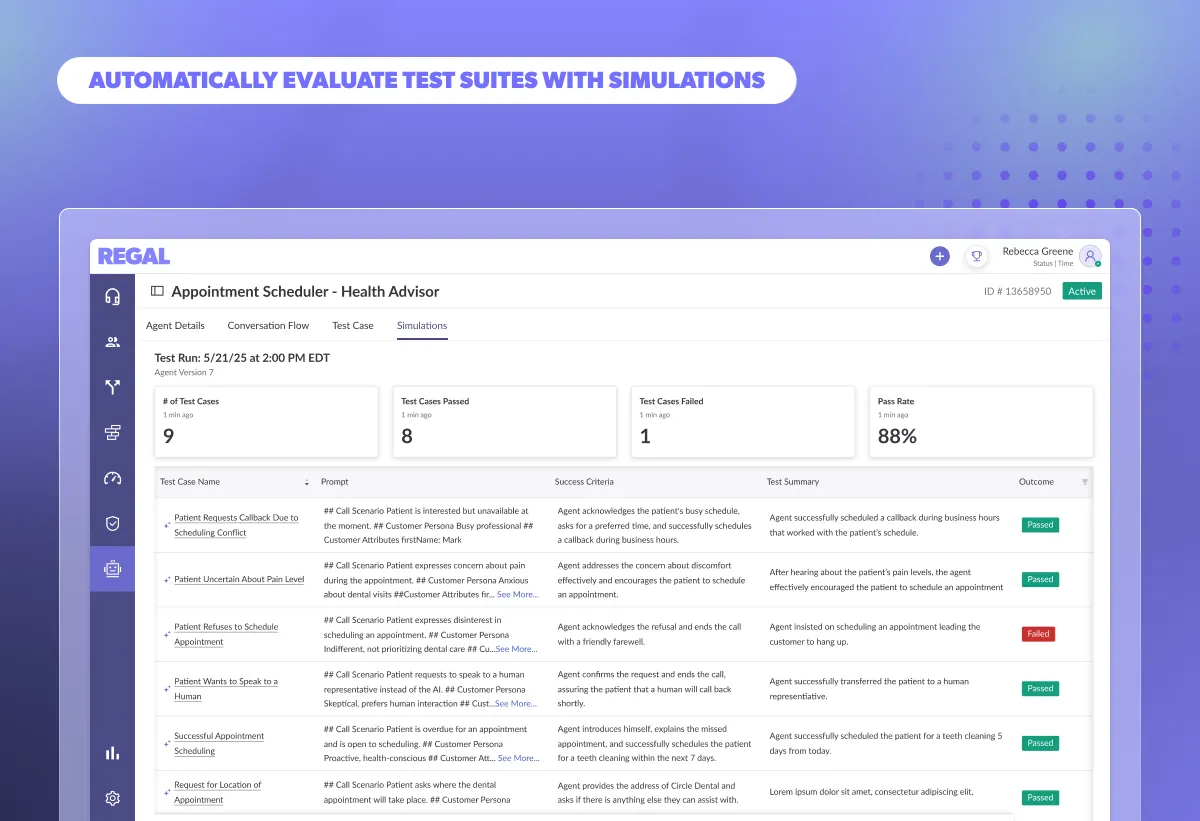
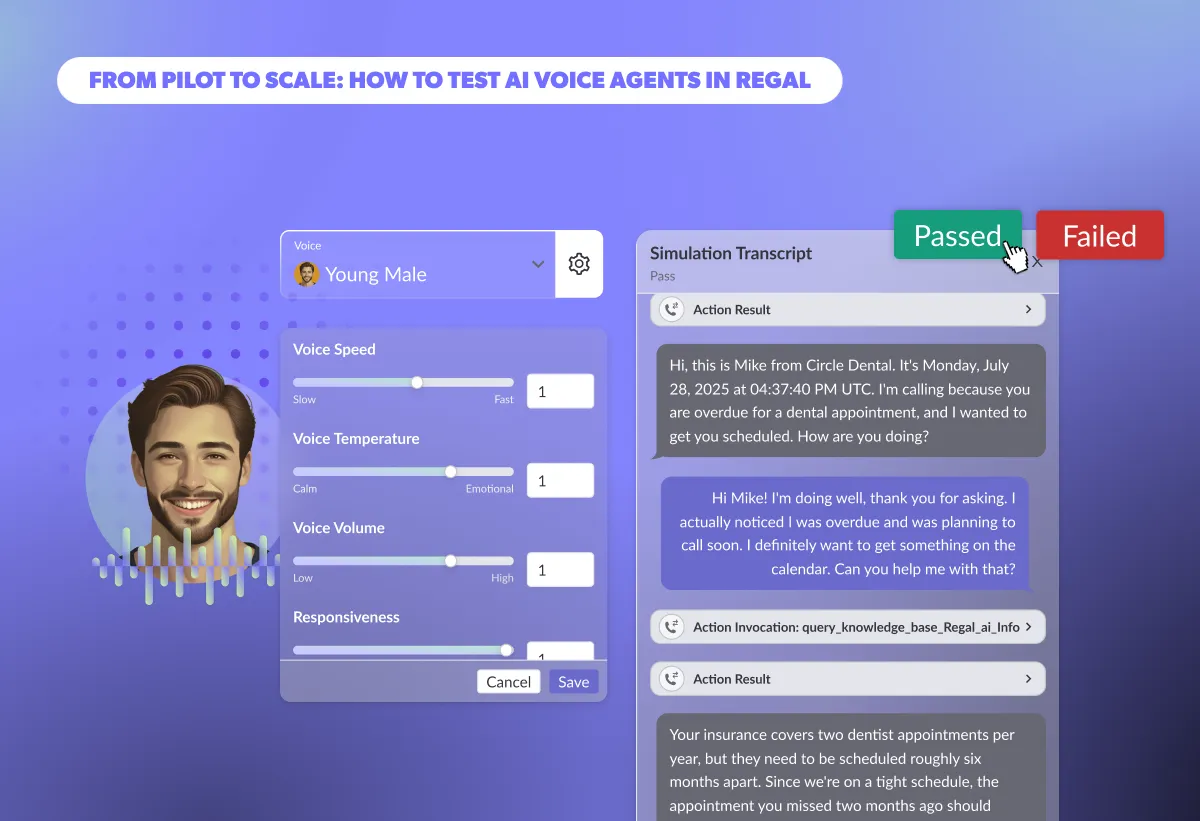
Discover how you can use Simulations to evaluate scenario-specific conversational flows that pinpoint AI Agent failures before launch. Speed up regression testing, validate prompts, knowledge bases, and custom actions at scale, and deploy reliable AI Agents with confidence.
%20(1).webp)
Apple’s iOS 26 introduces new call-screening controls that will reshape outbound performance. This guide explains what’s changing, how adoption may impact enterprise contact centers, and the proactive steps leaders can take now to protect answer rates and customer trust.
Learn how to maintain a clean, reliable RAG system for AI Agents. Discover best practices for structuring source docs, chunking content, titling for retrieval, avoiding redundancy, and keeping knowledge bases fresh to ensure accurate, scalable performance.
.webp)
This article outlines the core characteristics that influence how voice AI is perceived on live calls. From mechanical traits like speed and volume, to more emotional and conversational behaviors, we’re going to look at what those characteristics mean, why they matter, and how they impact your bottom line.
.webp)
Learn how to configure your AI Voice Agent for real performance. This guide covers the most important voice settings in Regal, what ranges top brands use in production, and how adjusting speed, tone, and responsiveness impact cost, containment, and overall customer experience.
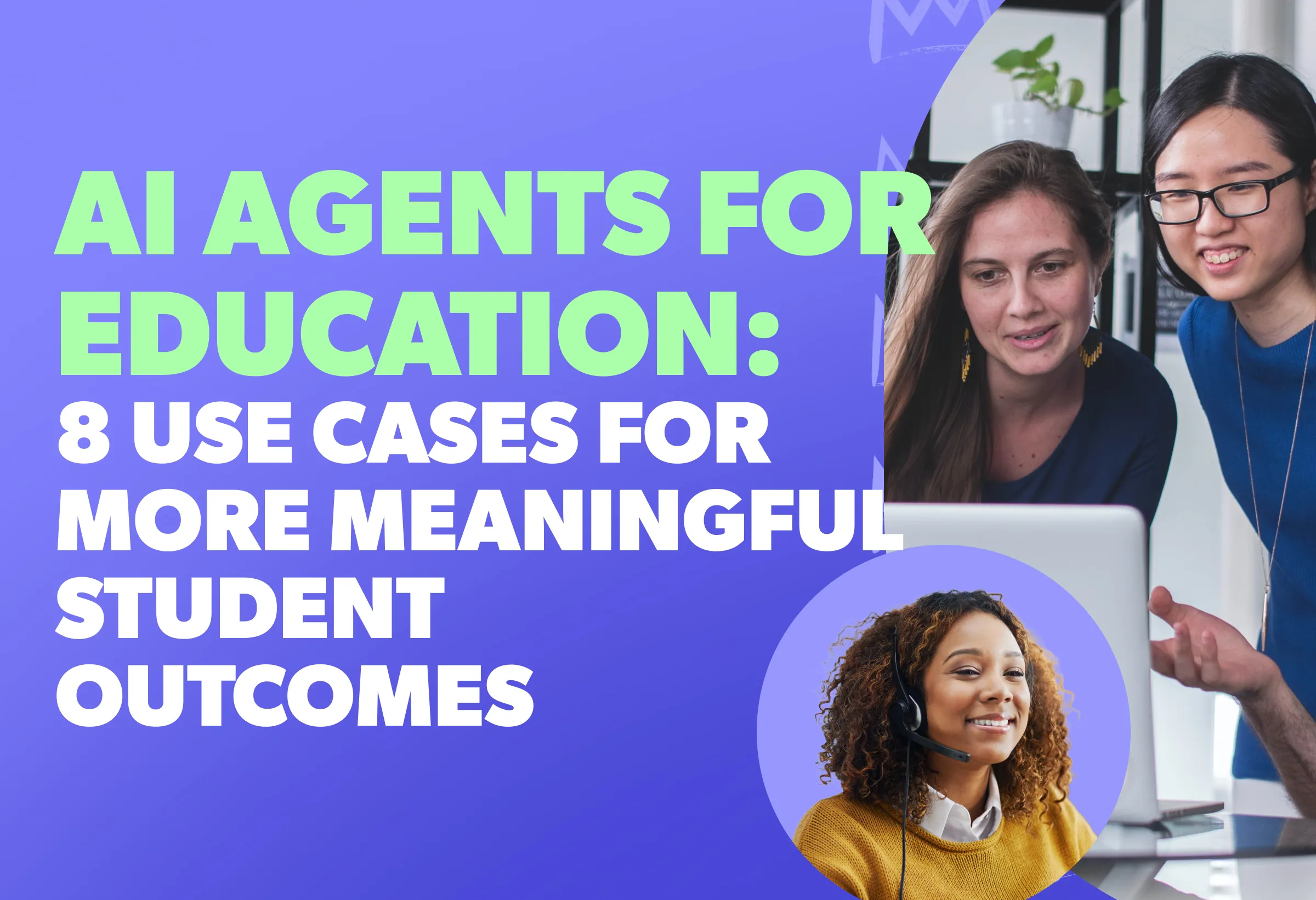
AI Agents for Education are transforming student engagement—boosting enrollment, improving retention, and making support more human. Discover 8 game-changing use cases that free up your staff while delivering better student outcomes.

Regal is officially one of Forbes America’s Best Startup Employers 2025, ranking #164 out of 500. This recognition is a testament to our incredible team, our innovative work culture, and our unwavering commitment to advancing AI technology.

AI in education is helping to streamline admissions, automate student engagement, and enhance higher ed outreach. Discover key education technology trends to boost enrollment and learn why automated student engagement tools are the future.
.webp)
When it comes to comparing AI Agents vs. AI Assistants, Siri & Alexa handle simple tasks, but Gen AI Voice Agents—like Regal’s AI Phone Agent—drive real business impact with human-like conversations, automation, and seamless integration.

.png)
.webp)
.png)


.webp)
.webp)


.avif)
.webp)
.webp)
.webp)

.webp)
.webp)

.avif)
.webp)


.webp)

.webp)
.webp)
.webp)

%20(1).webp)
.webp)
%20(1).webp)
.png)
.webp)
.webp)
.webp)
.webp)
%20(1).webp)
%20(1).webp)
%20(1).webp)
.webp)
.webp)
.webp)
.webp)
%20(1).webp)


%202.webp)


.webp)
.webp)
.webp)
.webp)


