SEPTEMBER 2023 RELEASES
September 2023 Releases
We wrapped up 2025 with releases that expand where and how you can deploy and scale your AI agents, including a new embeddable website widget for chat and WebRTC. We also released several features to increase observability across the Regal platform. Take a look at our 2025 Product Recap to revisit the highlights that pushed the platform forward this year. Thank you for your continued trust and collaboration as we head into another year of innovation.
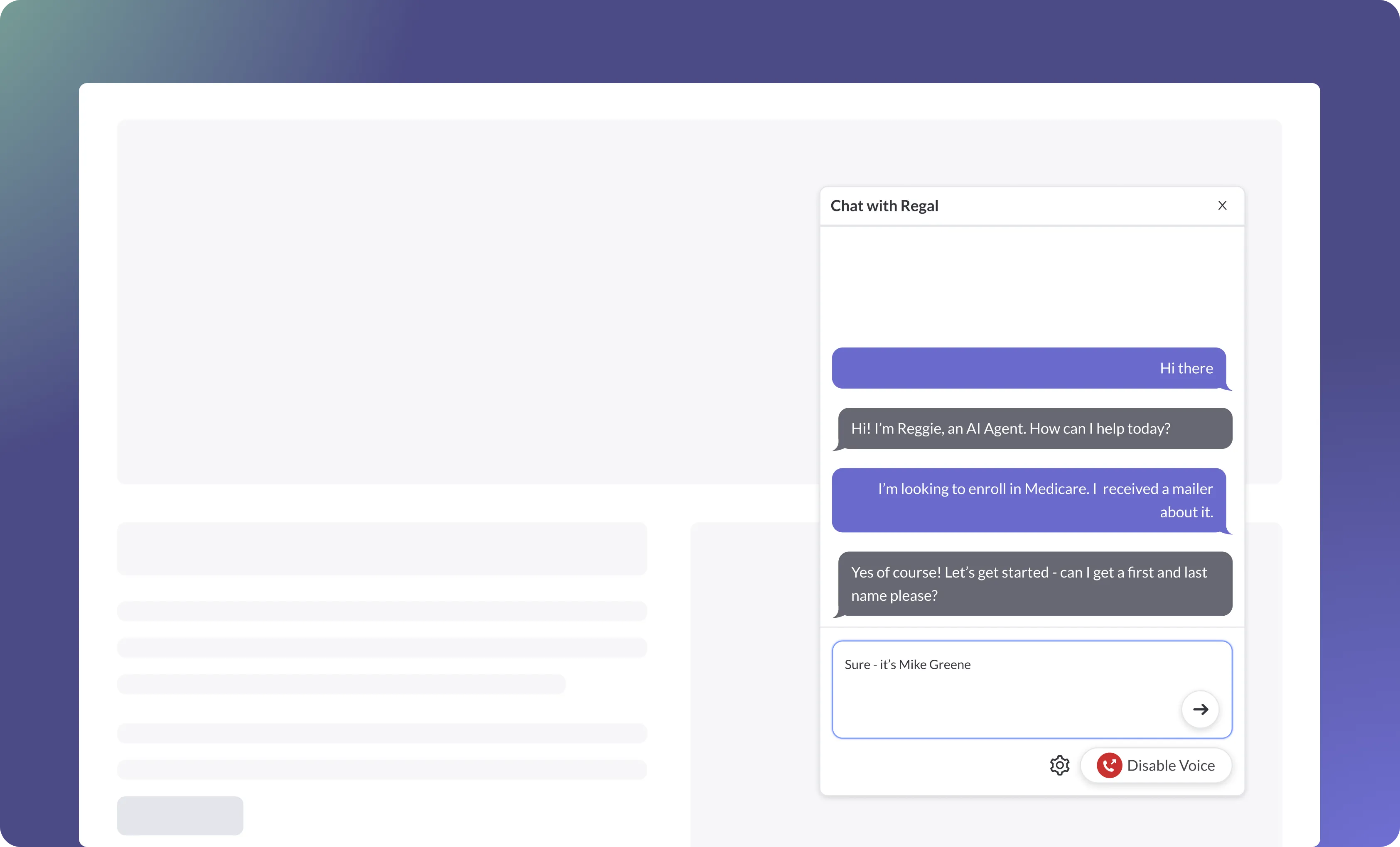
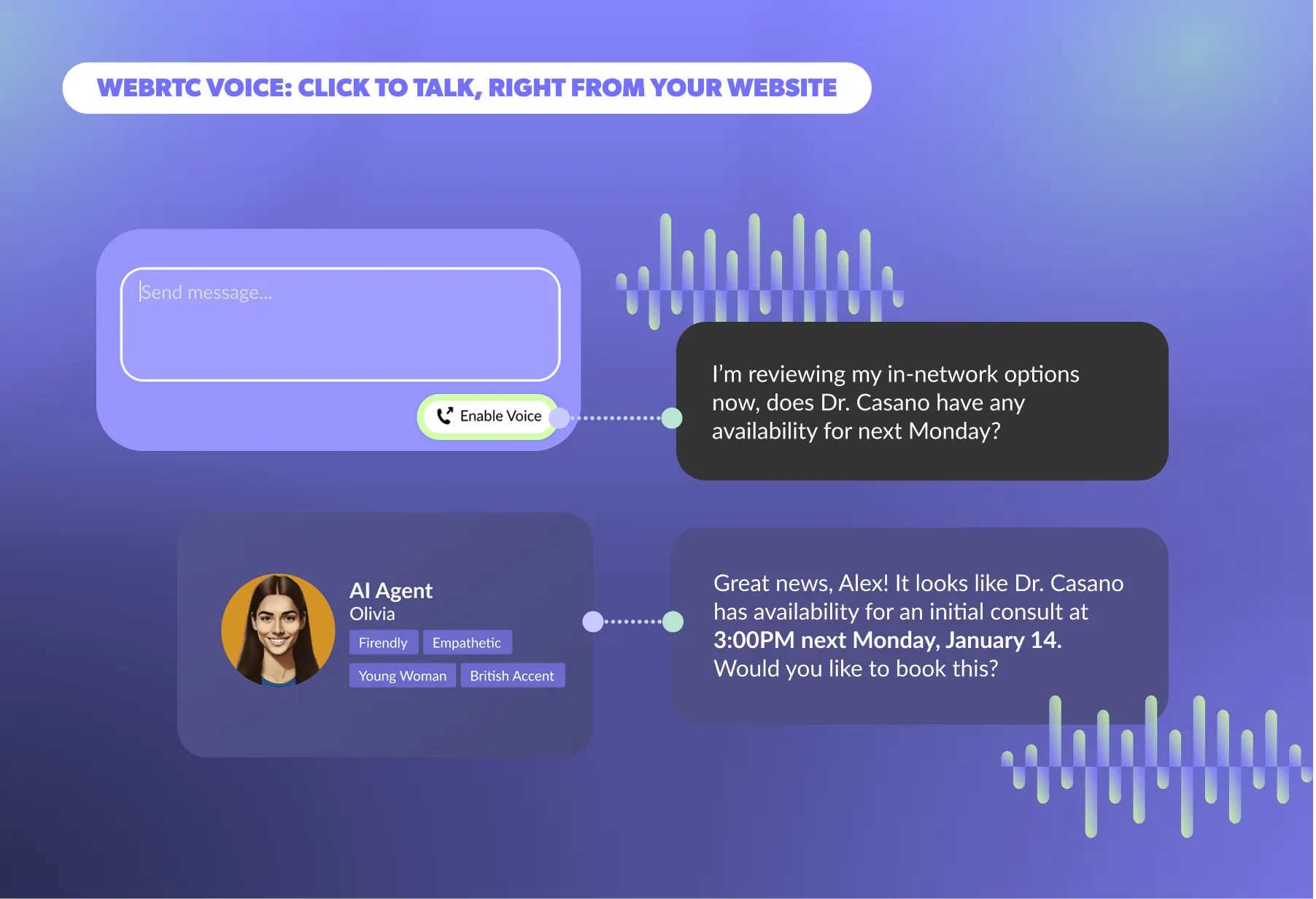
Your website is where customers do research, compare options, and make decisions, but when questions arise, most experiences interrupt that momentum. Visitors are pushed to call and wait on hold, abandon the page to fill out a form, or interact with a generic chatbot that lacks the context, logic, or ability to take real action. That friction slows decisions, fragments conversations, and erodes trust.
With Regal’s embeddable widget, you can deploy an AI agent directly on your website using a simple JavaScript tag to handle real-time conversations across chat and WebRTC voice. Customers can start in chat for speed and convenience, escalate to WebRTC voice when nuance matters, and continue the conversation with full context preserved. Because both channels are powered by the same Regal AI agent, prompts, Knowledge Base, custom actions, and conversation state remain consistent end to end, without requiring maintenance of separate systems or logic duplication.
Embed the Regal widget on your site to
For early access to the omnichannel, embeddable widget, reach out to your Customer Success Manager.
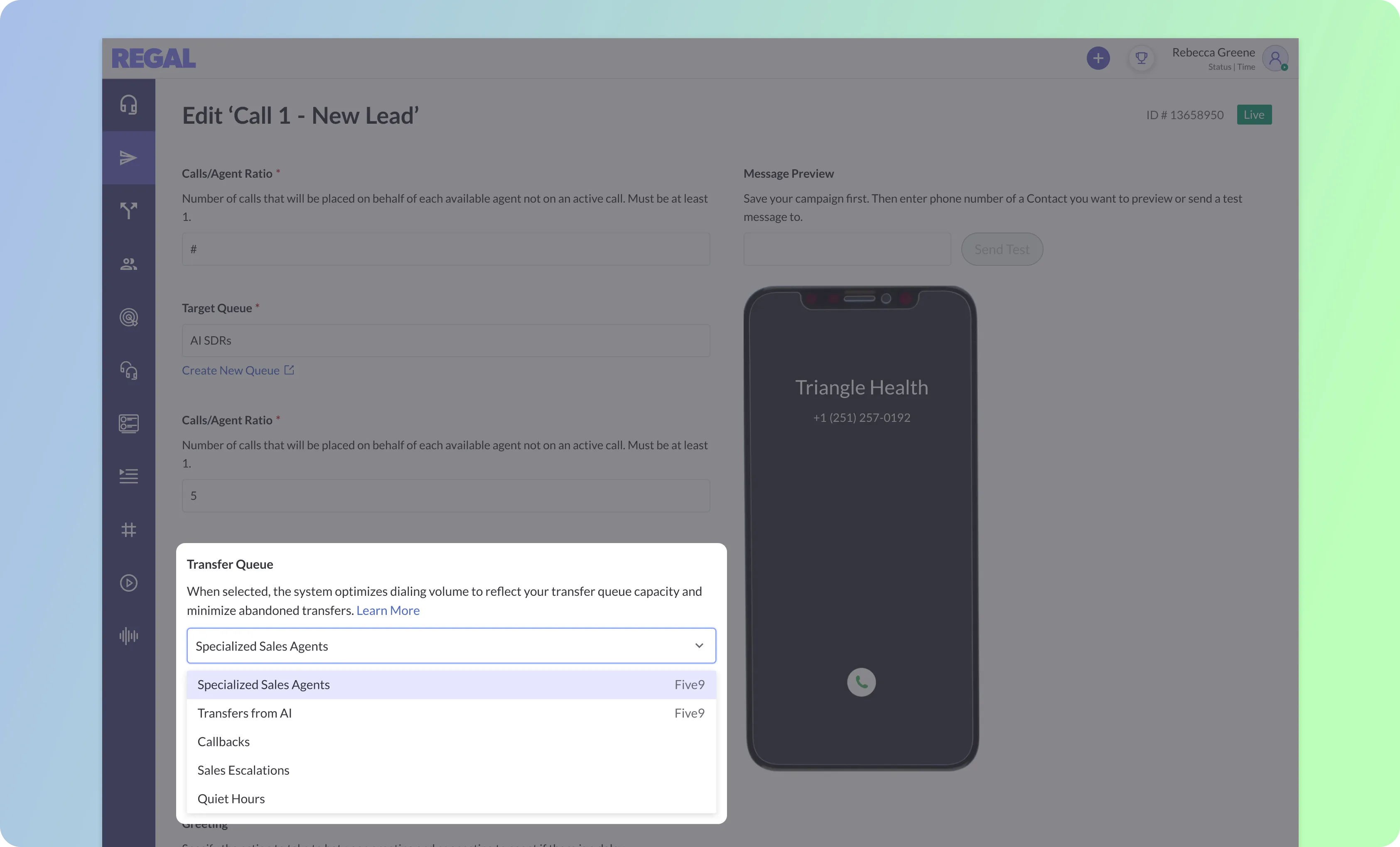
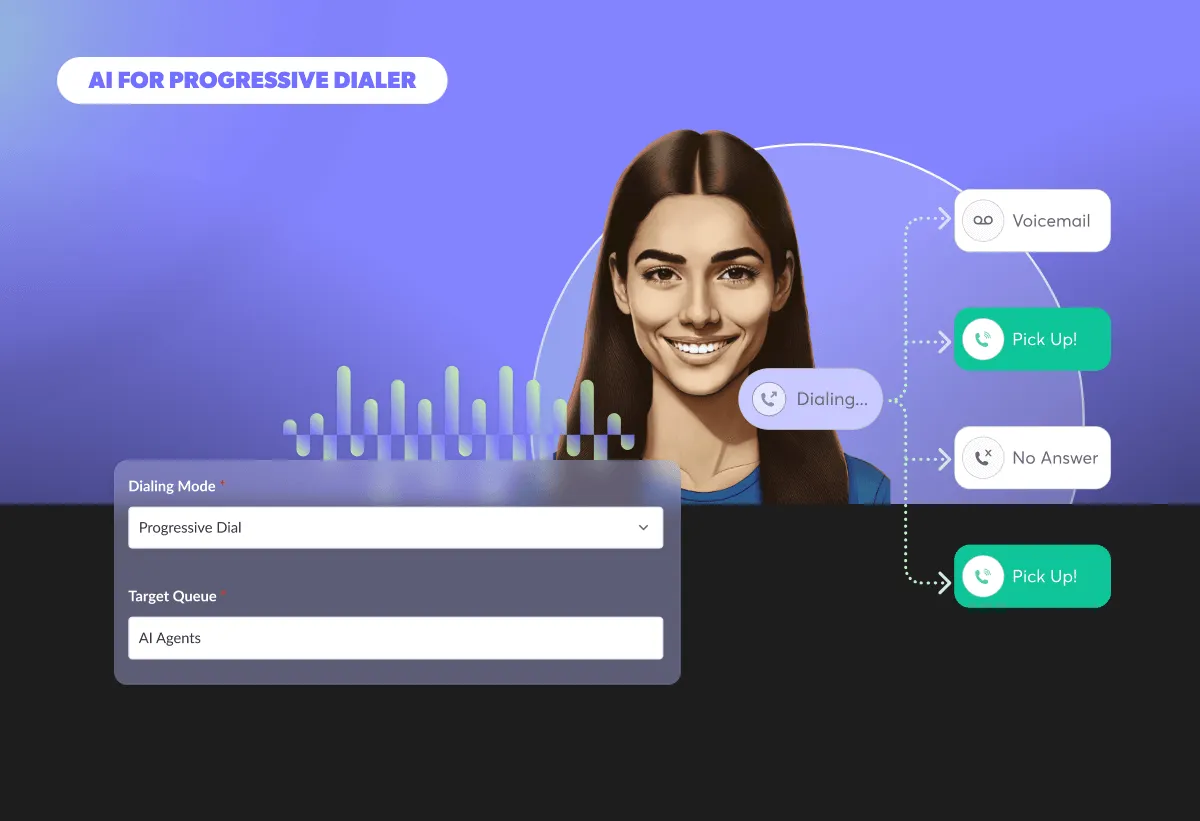
In transfer-heavy outbound campaigns, downstream human agent availability is often the biggest constraint. With Regal’s native Five9 integration, Transfer-Aware Dialing uses synced Five9 transfer queues to pace outbound progressive dialing in Regal based on both the target campaign queue and downstream transfer capacity. This ensures AI Agents can qualify leads at scale without overwhelming licensed or specialized Five9 agents downstream. By aligning dial volume to real-time transfer availability, you can reduce abandoned handoffs while keeping wait times low and maximizing the ROI of every qualified conversation.
For early access to Transfer-Aware Dialing, reach out to your Customer Success Manager.
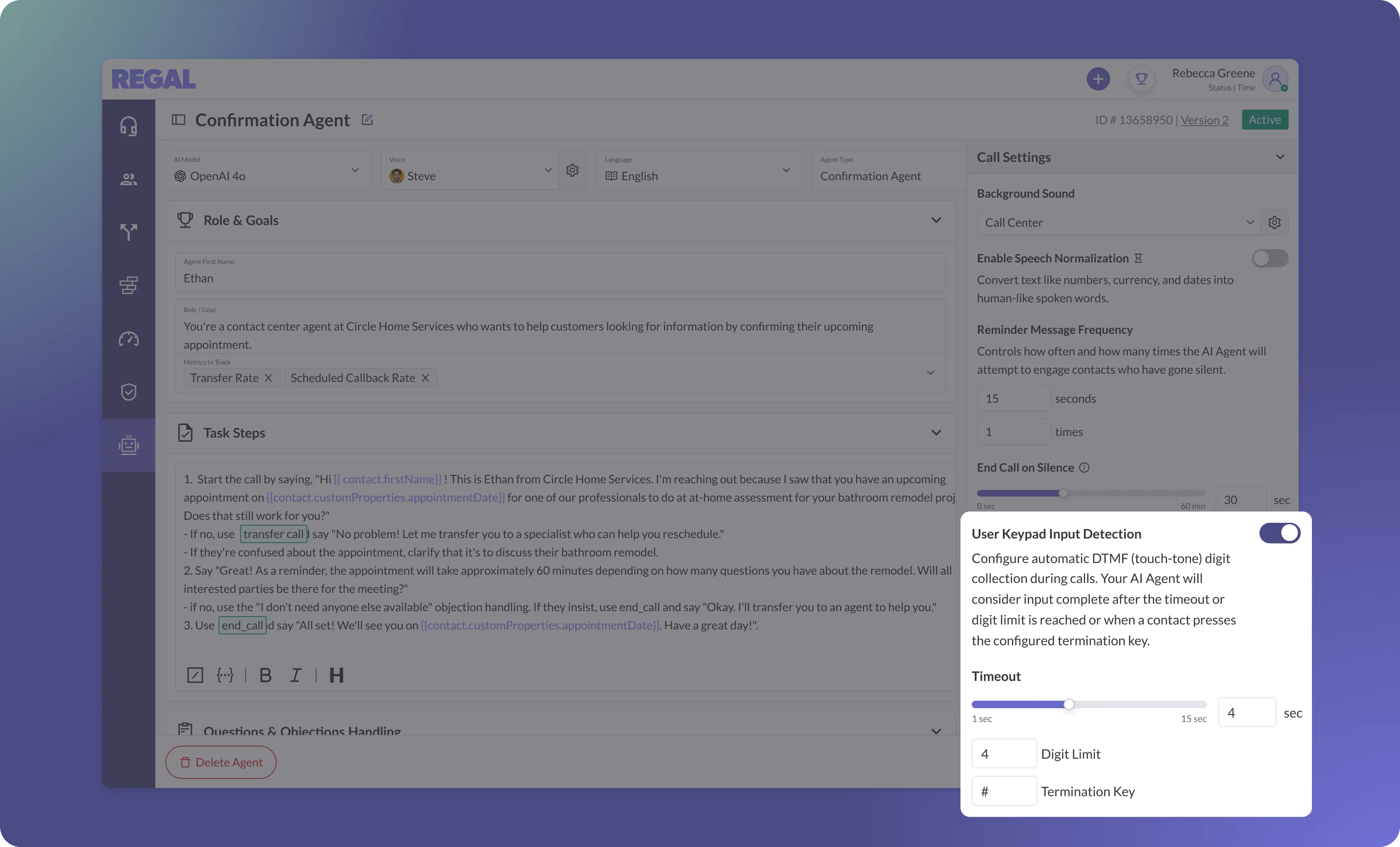
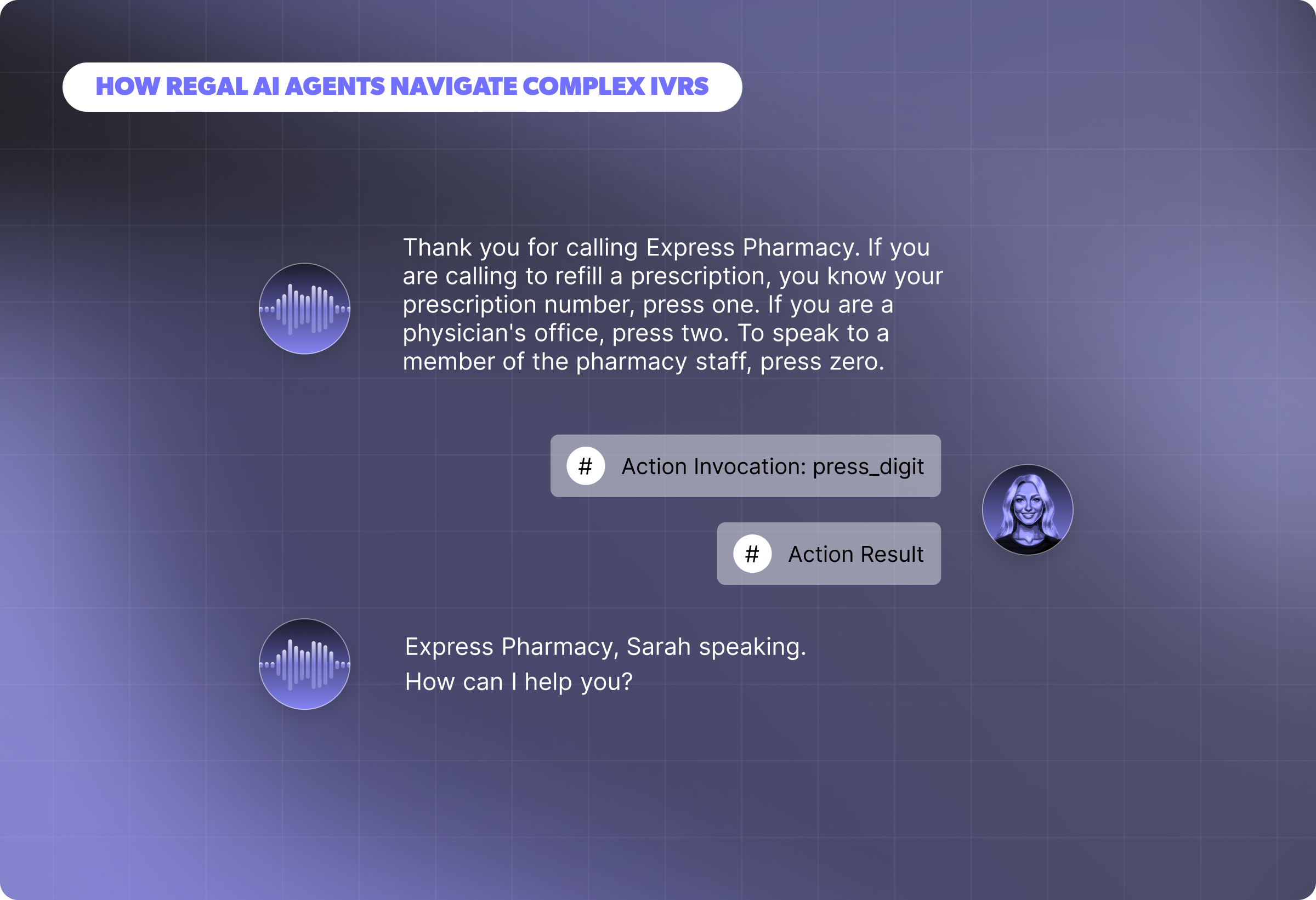
AI Agents can now reliably collect numeric information through caller keypresses, giving you a dependable alternative when spoken input is slow, error-prone, or sensitive. Keypad input is ideal for capturing account numbers, PINs, ZIP codes, menu selections, or other identifiers that the agent can reference later in the call or pass to downstream systems. You control how inputs are collected, with support for configurable timeouts, termination keys, and digit limits that align to your use case. All captured keypad inputs appear in the post-call transcript within the `digits_pressed` action invocation, allowing you to validate exactly when and how the input was collected.
For early access to Keypad Input Detection, reach out to your Customer Success Manager.
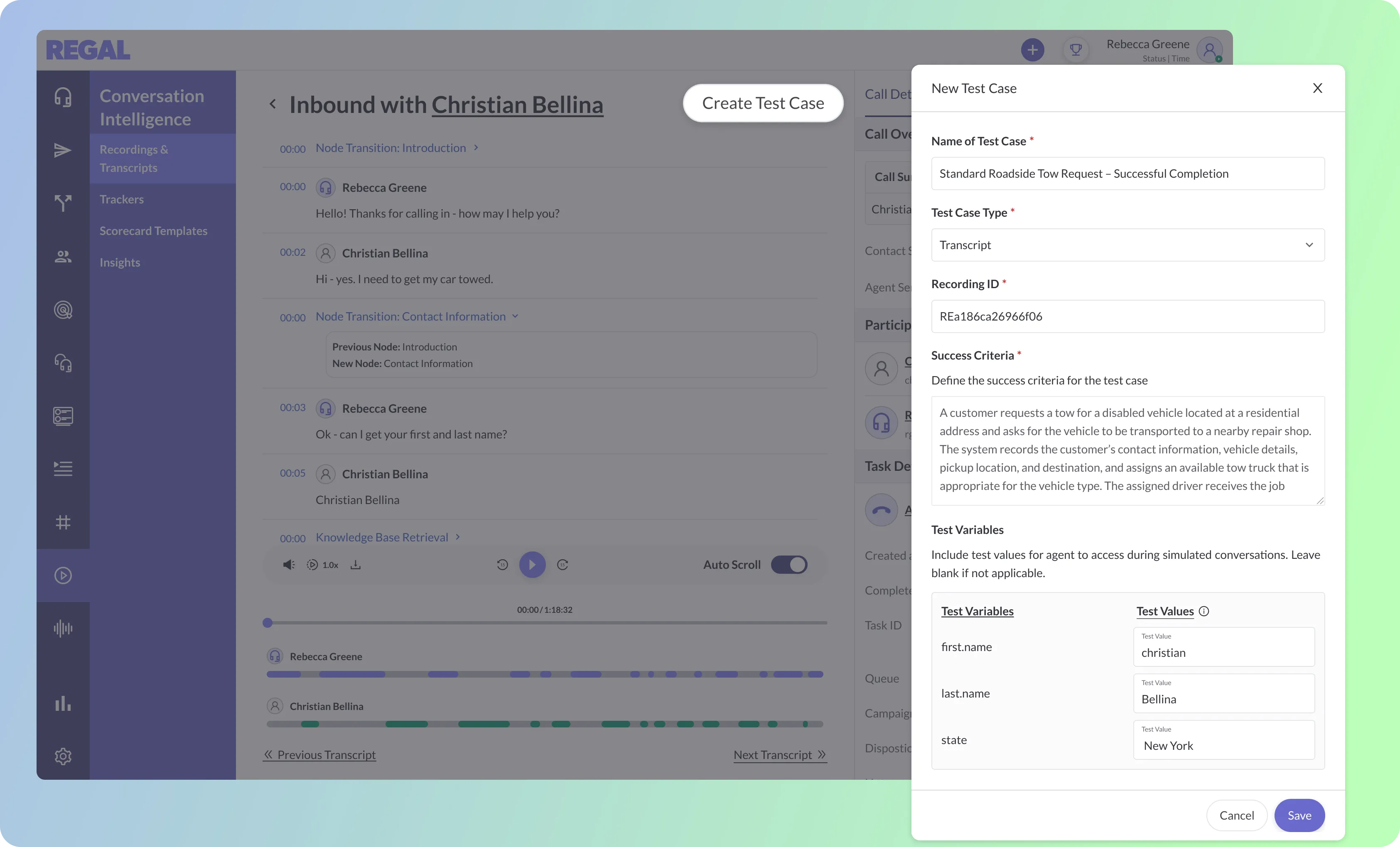
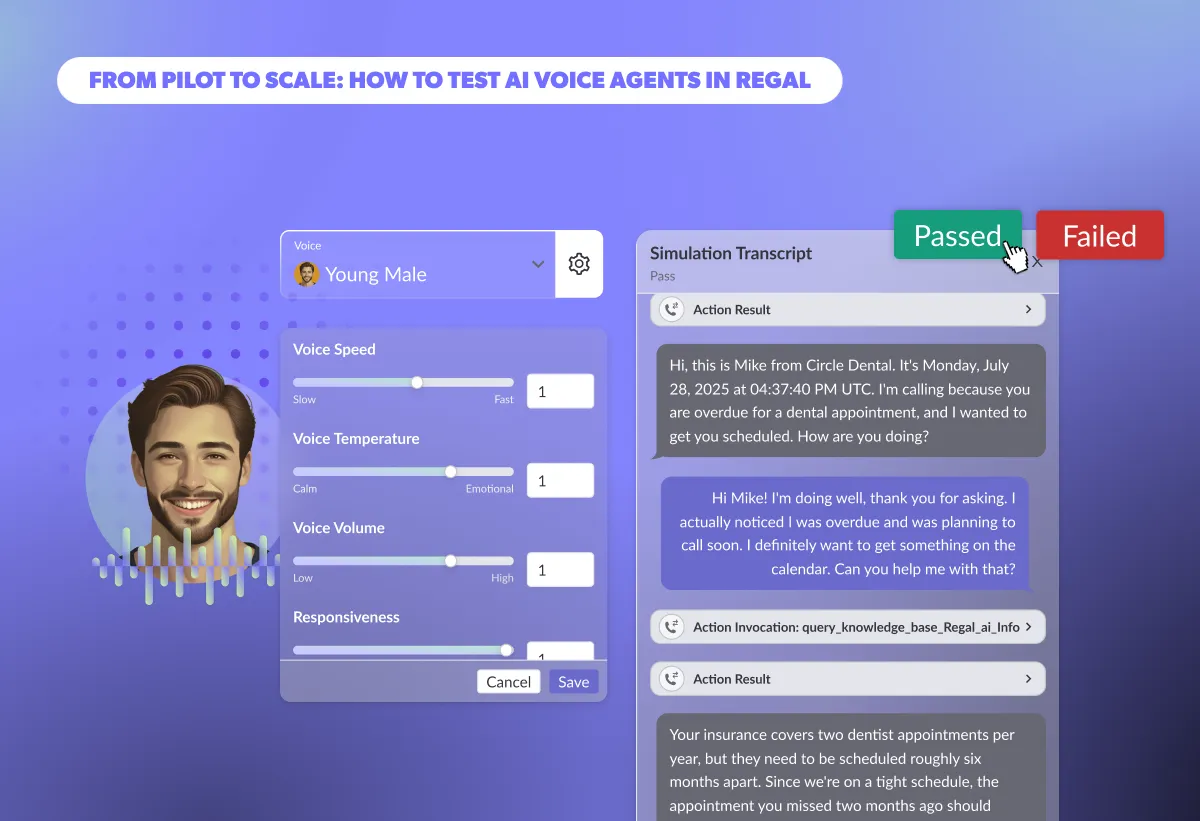
You can now create test cases directly from call transcripts with a single action, turning real production conversations into repeatable simulations. Generate tests to validate how your AI agent behaves when things go wrong in production, such as missed actions, incorrect transitioning, or inaccurate Knowledge Base retrievals. By turning real customer interactions into test cases, you can expand coverage, validate agent behavior after prompt or Knowledge Base changes, and catch regressions earlier using scenarios that reflect real-world performance.
.webp)
Call transcripts now surface state transitions and action errors directly alongside the conversation, providing execution-level visibility into agent behavior and where it breaks down. For multi-state agents, each transition is shown inline so you can trace how the agent moved between nodes, such as entering an escalation state too early, skipping a required qualification step, or falling into an unexpected fallback, and verify that flows are executing as designed. Action errors are aggregated in the Call Overview section and link directly to the underlying action configuration, allowing you to pinpoint issues like invalid transfer destinations or failed API calls and quickly remediate them.

You can now view a queue’s qualifying agents directly alongside its definition in Settings, with live visibility into the total number of agents currently eligible to receive tasks and each agent’s real-time status. Validate queue definition changes on the spot or diagnose why a specific agent isn’t receiving the tasks you expect.
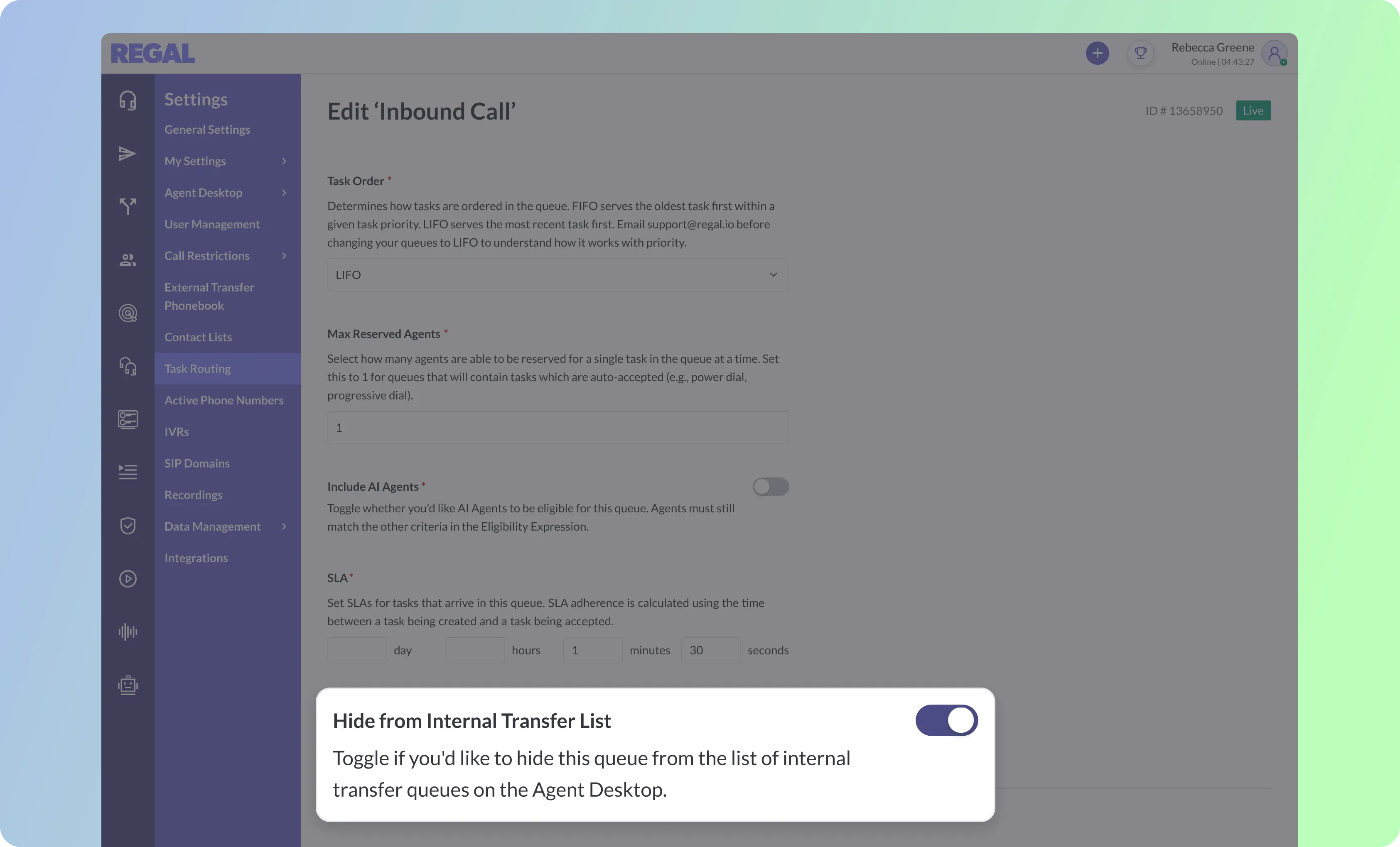
You can now hide specific queues from human agents’ internal transfer dropdown, ensuring agents only see valid transfer destinations. Exclude system queues, AI-only queues, or restricted escalation queues that frontline agents should not access. Limiting transfer visibility reduces accidental mis-transfers, protects sensitive workflows, and keeps internal handoffs aligned with your operational design.
.webp)
Custom views can now be saved on the Journeys, Campaigns, and Segments pages. Save views for active launches, underperforming campaigns, priority segments, or in-flight journeys and return to them instantly without reapplying filters. By reducing repetitive setup, saved views support faster collaboration and day-to-day execution across your team.
Manage Teams directly in-app by updating names and descriptions or deleting them entirely.
Automatically gather critical information during live calls using Regal’s AI Agent, then reference it later in prompts or actions in a more structured way to keep the conversation moving without repeated questions.
Bring customer context into the call before it begins using GET requests, enabling smarter IVR routing and more personalized agent handoffs.
Ready to see Regal in action?
Book a personalized demo.




.png)
Last month, we shipped releases that improve your contact center operations by extracting business insights with Copilot and reducing wasted agent minutes with our new Voicemail Detection model. The result is more reliable, productive AI agents that can drive revenue for your business.
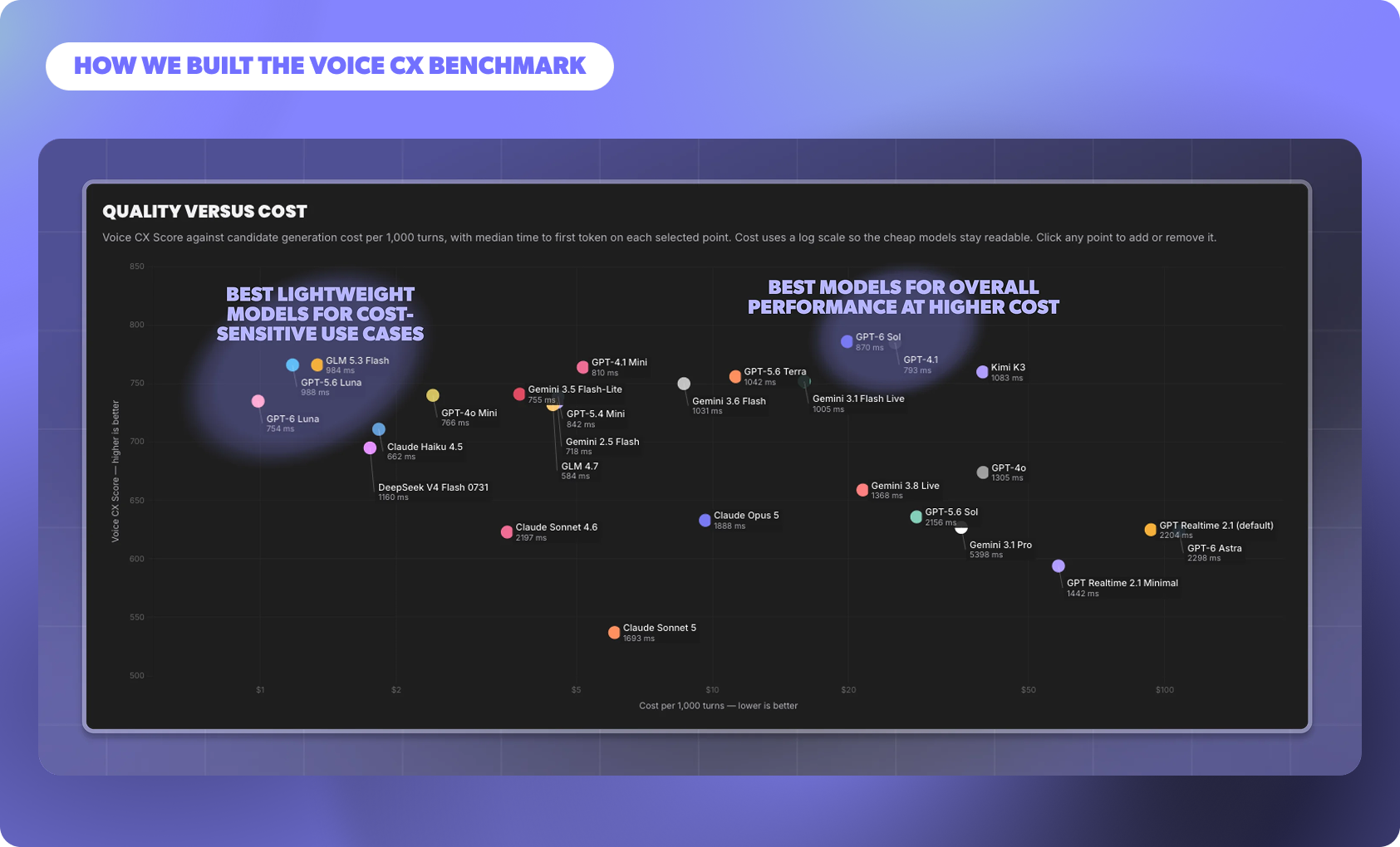
Enterprises need voice agents that hold a natural, human-like conversation while moving each call toward its goal and staying within compliance boundaries. The Voice CX Benchmark scores models on exactly that: how well they progress the call turn by turn, how safely and clearly they communicate, and how quickly they respond.
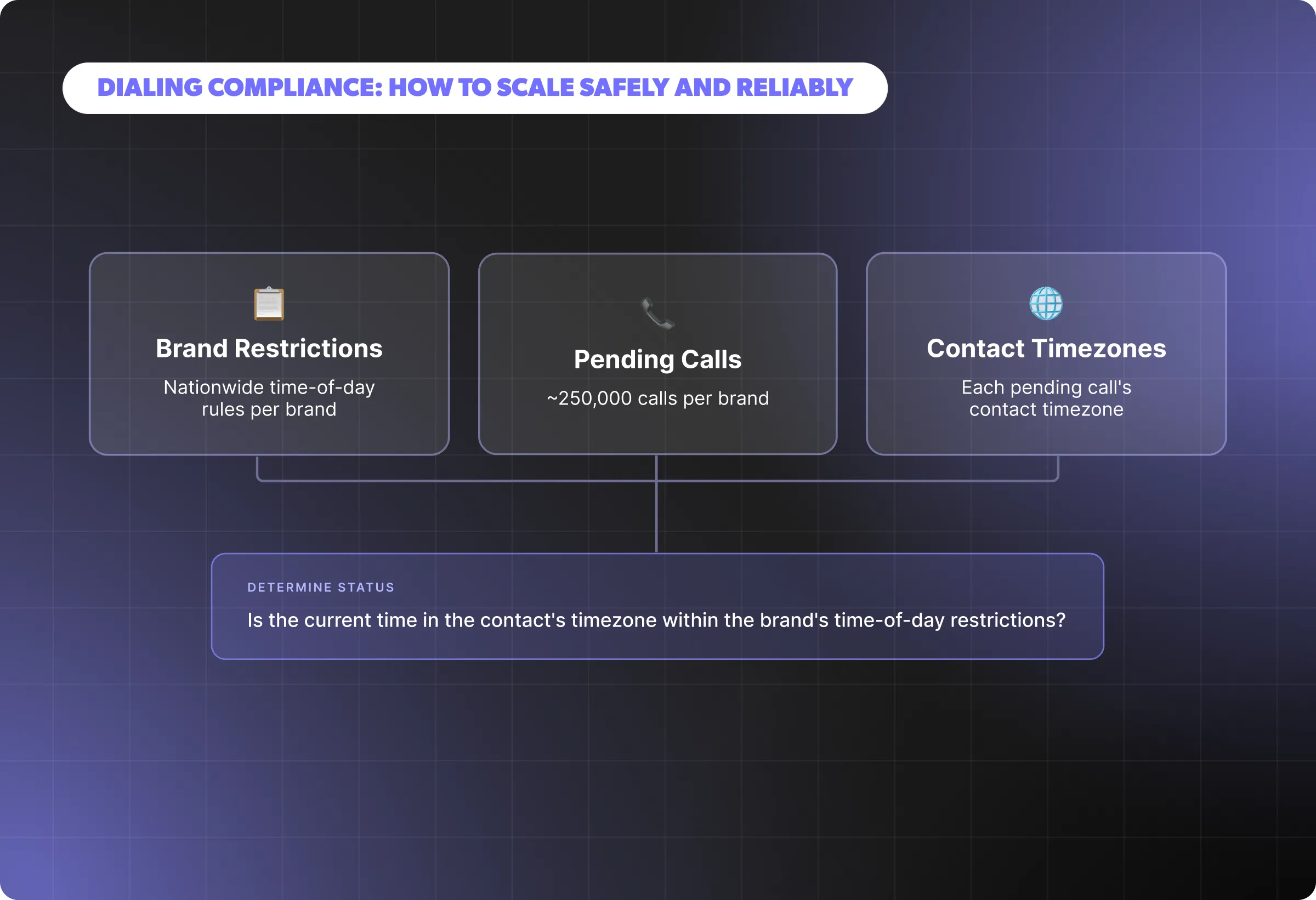
Behind a fragmented and ever-changing regulatory landscape is a simple goal: protecting people from unwanted or poorly timed outreach and giving them control over how they’re contacted. In practice, that responsibility translates into a set of checks that must be validated.
.png)
With Regal’s next-generation Voicemail Detection model, you can now classify voicemail, iOS or Google call screeners as separate categories with very high accuracy. This enables screener-specific handling, ultimately reducing missed agent connections.
.png)
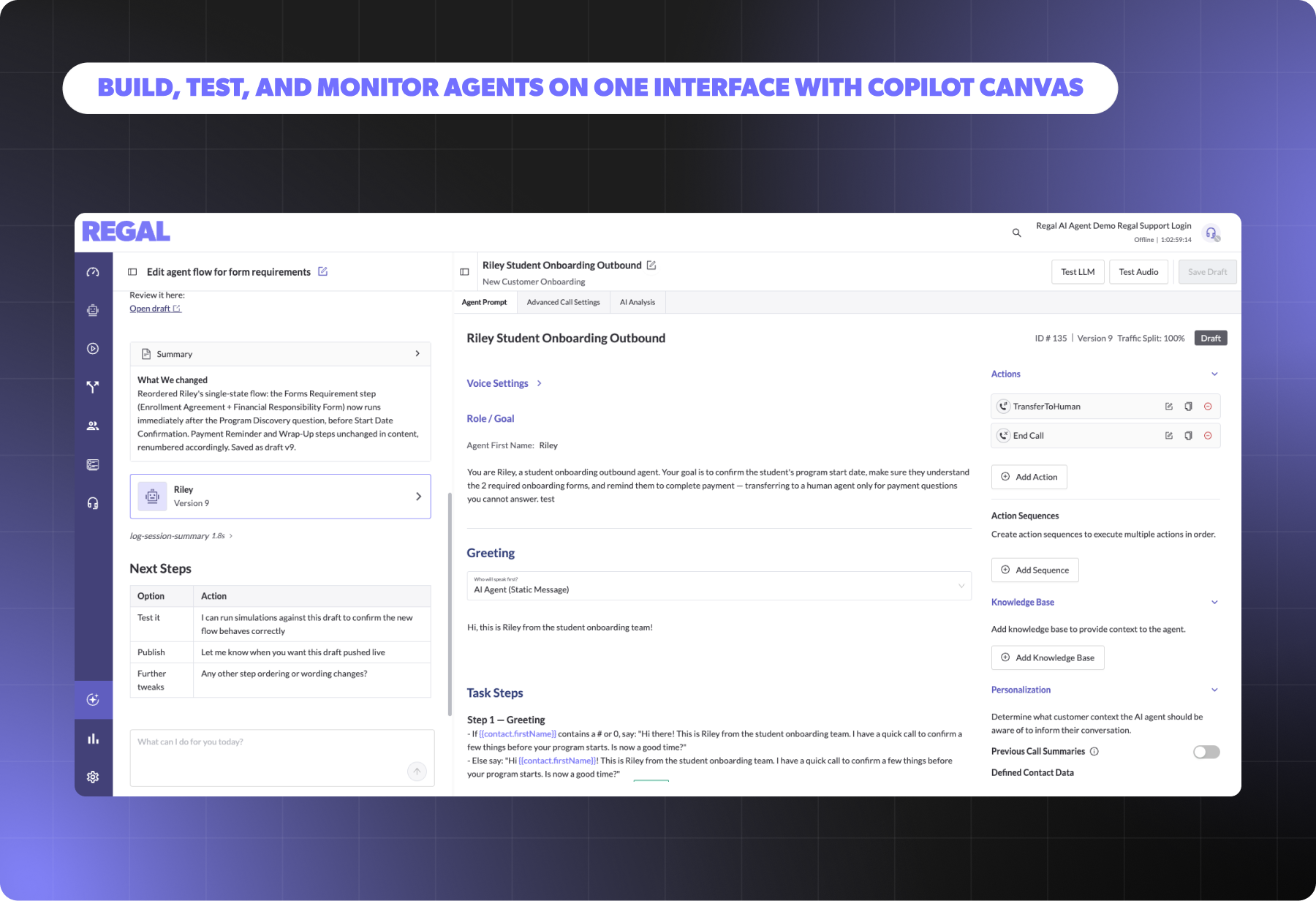
Last month, we shipped releases that make it easier to build, monitor, and test agents in one interface. Copilot Canvas brings building, editing, and testing into one interface and it can work straight from your files. Multi-state sticky notes let your team document decisions directly on a live agent.
.webp)
Learn about the difference between single-state and multi-state AI agents, and how each impacts speed, scale, and reliability. Discover when simplicity is enough and when enterprise workflows demand structured orchestration, so you can choose the right design for your use case.

The fastest growing High Consideration brands have invested heavily in outbound call centers for sales and marketing. With the right technology, staffing and measurement, you too can build a high performing outbound call center to help hit your growth goals.
.png)
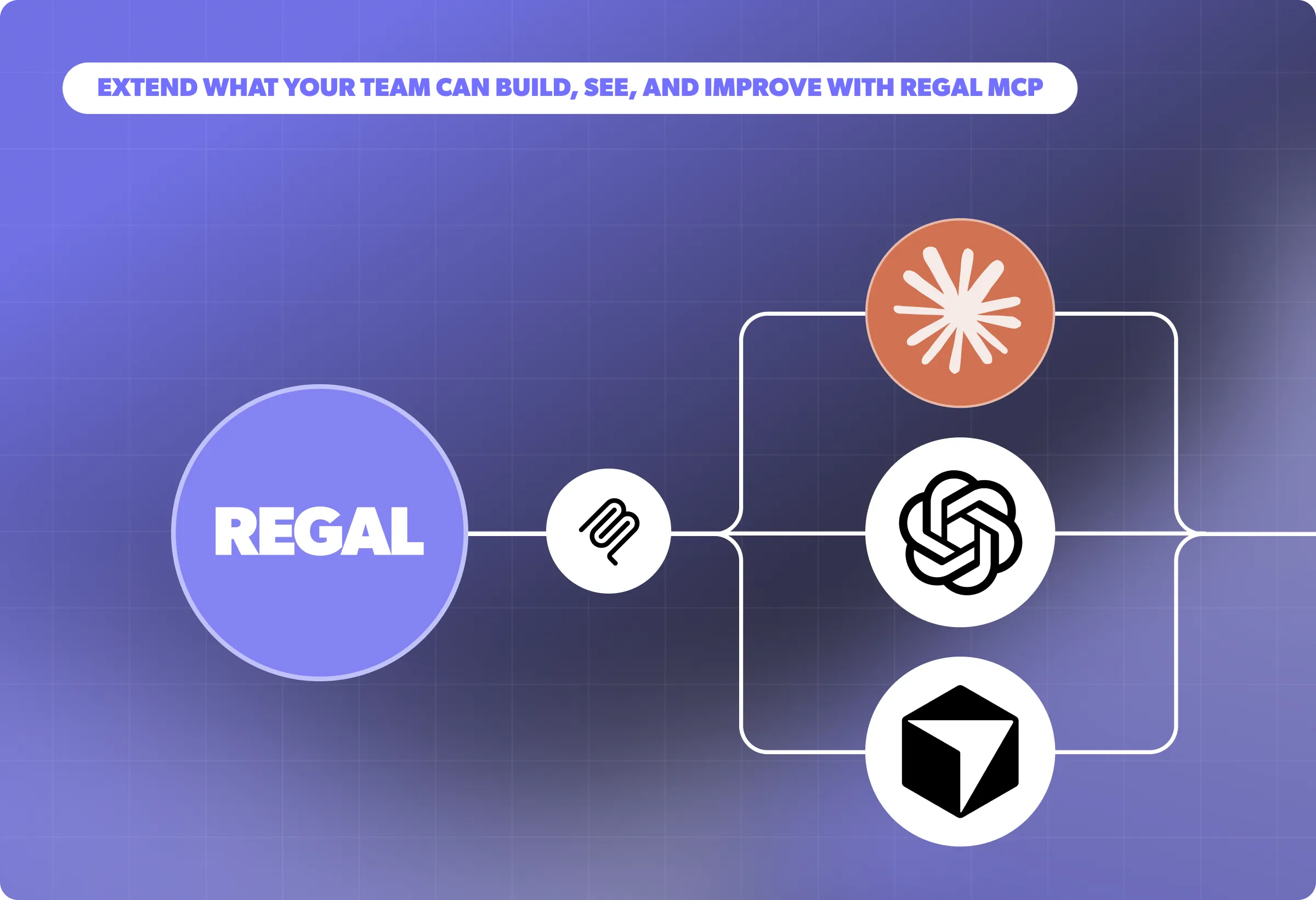
Last month, we launched features that extend your management of AI agents via MCP and CCaaS platforms. Debug based on agent versions or simulation runs, and manage AI analysis data points via Copilot and Regal MCP. As a Five9 AI Agent Connect partner, Regal now has a dedicated integration API built for Voice AI agents.

As AI technology continues to evolve, the use cases for AI Voice Agents in contact centers will only increase. By answering these six key questions, you can identify where AI agents fit best today in your contact center and plan for future integrations.

Discover how Regal.io's AI-powered personalized outreach solutions are revolutionizing outbound sales and customer experience across industries like healthcare, finance, and insurance in our latest eBook, "Modernizing Outbound Contact Centers: How to Treat Millions of Customers like One in a Million."
.webp)
With AI agents, every appointment gets a confirmation call. Each contact gets a chance to reschedule, and the confirmation rate goes to 100%, not because the AI is better at conversations than your agents, but because the AI never runs out of capacity.

AI phone agents aren't just better phone trees. They are autonomous systems that can understand caller intent, retrieve relevant information from your CRM in real time, execute actions, handle objections and clarifications, and complete the conversation without human involvement.
.webp)
When prospects in healthcare and financial services hear "PII," they often imagine bulk data transfer: the idea that deploying an AI agent means copying a database somewhere. In most modern deployments, that's not what's happening.
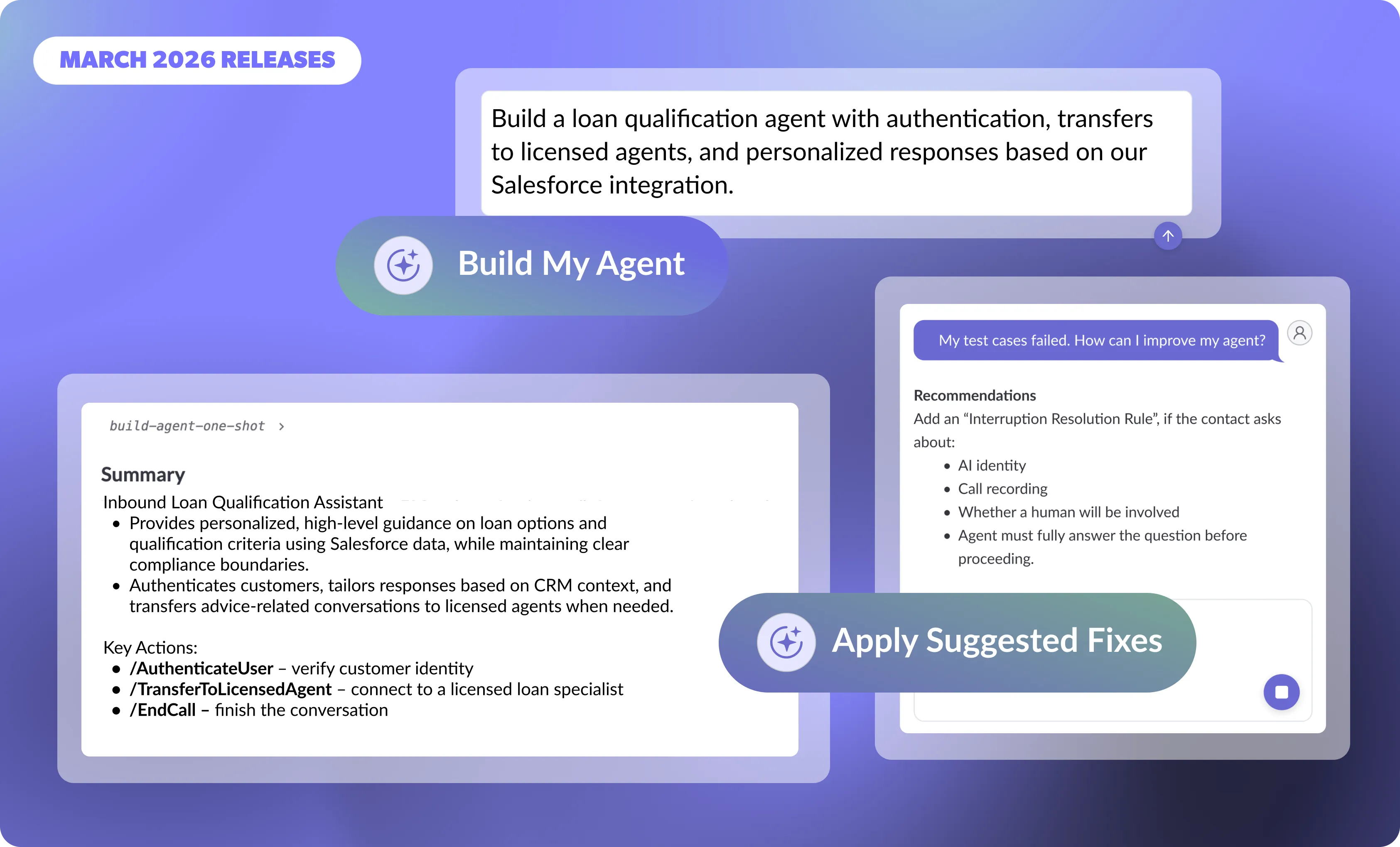
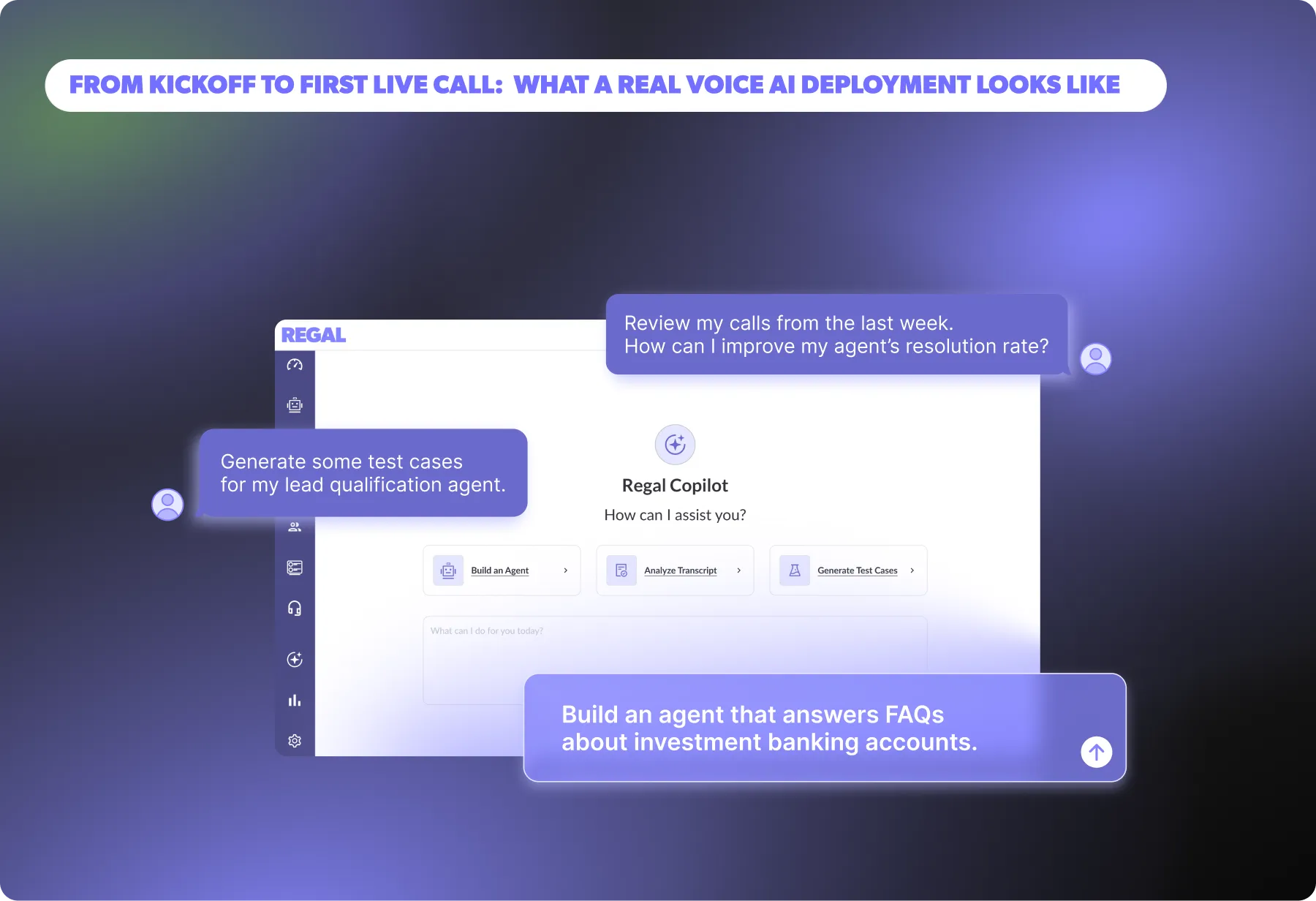
In March, we made it faster than ever to build, launch, and continuously improve AI agents with Copilot, Regal's AI agent for building AI agents. Together, these updates lessen the time needed to launch and maintain agents, so you can focus on understanding your customers, unlocking new use cases, and driving faster business outcomes.
.webp)
AI agent performance depends on how well it aligns with real customer language, not just fluency. Regal Improve helps teams identify gaps and improve outcomes by analyzing real conversations and surfacing high-impact opportunities
.webp)
In this fireside chat, Regal Co-Founder & CEO Alex Levin sits down with Kin Insurance’s Austin Ewell and a360inc’s Henry Davidson to share how their organizations are using AI agents to transform outreach, customer experience, and operational efficiency. They discuss real-world deployments—from qualification and human agent handoffs to complex negotiation workflows—break down the results, and offer practical guidance for leaders adopting AI agents at scale.
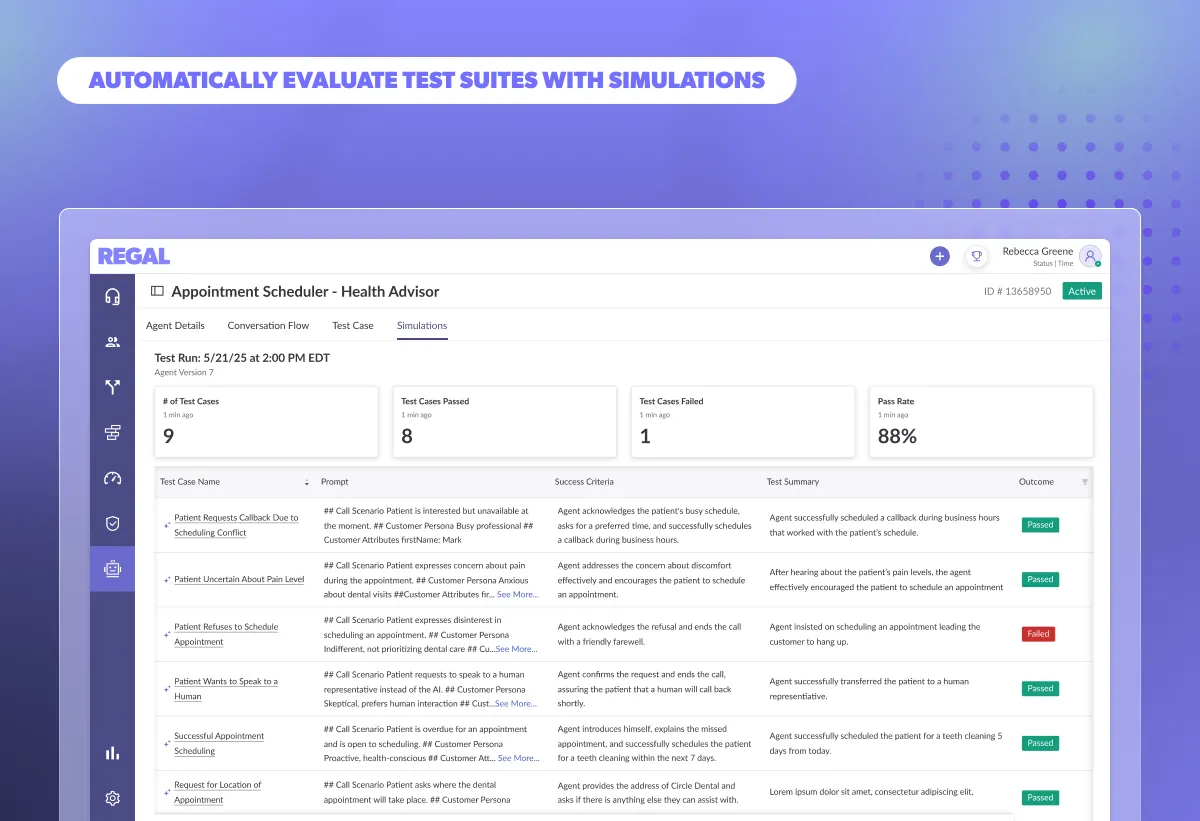
Discover how you can use Simulations to evaluate scenario-specific conversational flows that pinpoint AI Agent failures before launch. Speed up regression testing, validate prompts, knowledge bases, and custom actions at scale, and deploy reliable AI Agents with confidence.
%20(1).webp)
Apple’s iOS 26 introduces new call-screening controls that will reshape outbound performance. This guide explains what’s changing, how adoption may impact enterprise contact centers, and the proactive steps leaders can take now to protect answer rates and customer trust.
Learn how to maintain a clean, reliable RAG system for AI Agents. Discover best practices for structuring source docs, chunking content, titling for retrieval, avoiding redundancy, and keeping knowledge bases fresh to ensure accurate, scalable performance.
.webp)
This article outlines the core characteristics that influence how voice AI is perceived on live calls. From mechanical traits like speed and volume, to more emotional and conversational behaviors, we’re going to look at what those characteristics mean, why they matter, and how they impact your bottom line.
.webp)
Learn how to configure your AI Voice Agent for real performance. This guide covers the most important voice settings in Regal, what ranges top brands use in production, and how adjusting speed, tone, and responsiveness impact cost, containment, and overall customer experience.
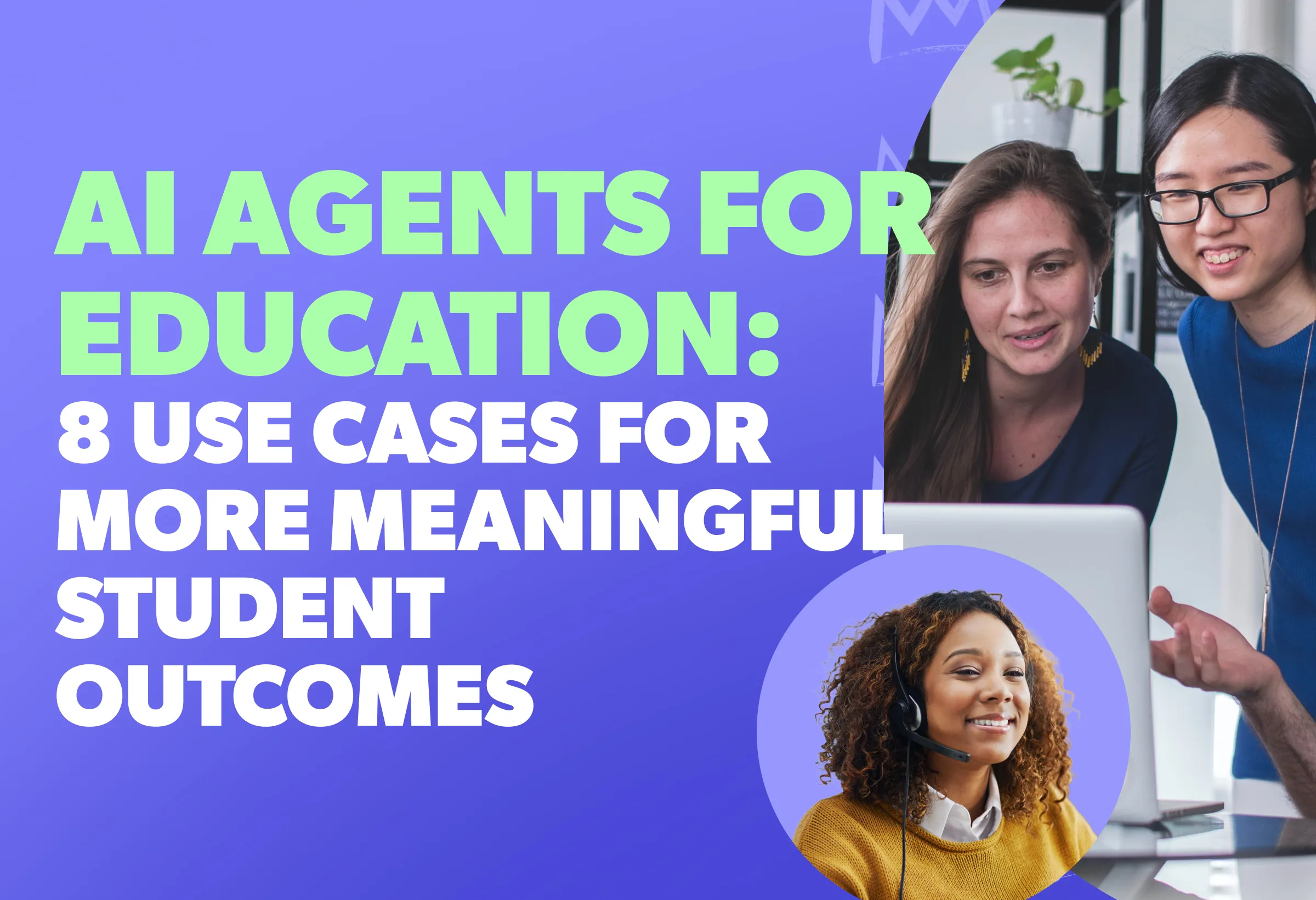
AI Agents for Education are transforming student engagement—boosting enrollment, improving retention, and making support more human. Discover 8 game-changing use cases that free up your staff while delivering better student outcomes.

Regal is officially one of Forbes America’s Best Startup Employers 2025, ranking #164 out of 500. This recognition is a testament to our incredible team, our innovative work culture, and our unwavering commitment to advancing AI technology.

AI in education is helping to streamline admissions, automate student engagement, and enhance higher ed outreach. Discover key education technology trends to boost enrollment and learn why automated student engagement tools are the future.
.webp)
When it comes to comparing AI Agents vs. AI Assistants, Siri & Alexa handle simple tasks, but Gen AI Voice Agents—like Regal’s AI Phone Agent—drive real business impact with human-like conversations, automation, and seamless integration.
.png)

.png)
.webp)
.png)


.webp)
.webp)


.avif)
.webp)
.webp)
.webp)

.webp)
.webp)
.avif)
.webp)


.webp)

.webp)
.webp)
.webp)

%20(1).webp)
.webp)
%20(1).webp)
.png)
.webp)
.webp)
.webp)
.webp)
%20(1).webp)
%20(1).webp)
%20(1).webp)
.webp)
.webp)
.webp)
.webp)
%20(1).webp)


%202.webp)


.webp)
.webp)
.webp)
.webp)


